
Expiration Reminder is a capable product. I understand that why teams buy it is because it gives expiring records, documents, owners, and reminders a proper home instead of leaving everything in a spreadsheet.
But it is not automatically the best fit for every team.
I have used Expiration Reminder and every alternative in this guide. Some were much quicker to set up. Some gave me more control over notification channels. Others looked inexpensive until user counts, automation limits, or the work required to maintain them entered the picture.
My main conclusion is simply that best Expiration Reminder alternative depends on whether you want a ready-made expiry system or a flexible tool you are willing to build and maintain yourself.
For a broader explanation of the software category, rather than a competitor review, read document expiry reminder software.
My Quick Verdict
- Best focused alternative for teams leaving spreadsheets: ExpiryScan
- Best for email, SMS, and WhatsApp reminders: Remindax
- Best low-cost dedicated starting point: RemindCal
- Best when every renewal needs a checklist: ExpiryEdge
- Best custom database: Airtable
- Best for Microsoft 365 organizations: Microsoft Lists and SharePoint
- Best for turning expiries into broader project work: monday.com
- Best for keeping records beside SOPs and notes: Notion
- Best free option for a very small register: Google Sheets or Excel
- Best for a handful of low-risk dates: a shared calendar
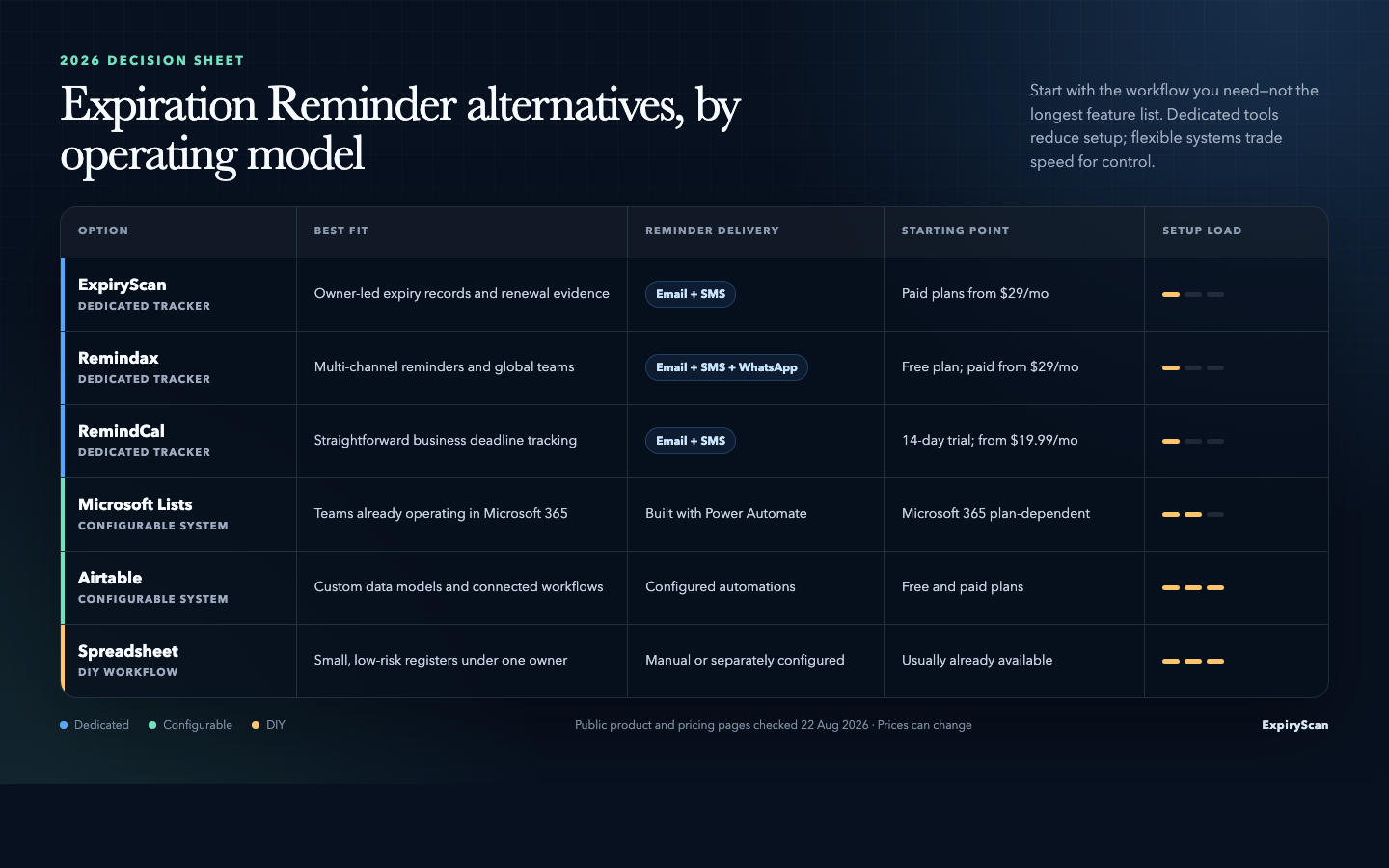
What I Looked for in an Expiration Reminder Alternative
Feature lists are easy to copy. The harder question is whether a tool remains useful once real people, documents, and missed follow-ups enter the workflow.
These are the things I paid most attention to.
Time to a Useful Register
I wanted to know how quickly I could move from an empty account to a register with real record types, owners, expiry dates, documents, and reminder rules. Dedicated trackers were usually faster. Configurable platforms made me design the system first.
Reminder Delivery
An alert is only useful if it reaches the right person in a channel they actually notice. I compared email, SMS, WhatsApp, in-app alerts, and the extra work required to build automations.
Ownership and Evidence
I looked for more than a date field. A useful system should show who owns the renewal, whether the current document is attached, what has already happened, and which records are overdue.
The Real Price
Headline prices rarely tell the full story. I checked item limits, users, workspaces, storage, message credits, automation allowances, minimum seat counts, and annual-billing discounts.
How the Tool Feels as the Register Grows
A system that works for ten dates can become awkward at 500. I looked at filtering, imports, permissions, reporting, consistency, and how much ongoing administration the setup needs.
How I Compared These Tools
I have personally used all ten options. I focused on the parts of each product that matter in day-to-day expiry work involving creating records, assigning responsibility, attaching or linking documents, setting reminders, finding overdue items, and understanding what the paid plan actually includes.
ExpiryScan, Remindax, RemindCal, and ExpiryEdge are dedicated expiry products. Airtable, Microsoft Lists, monday.com, and Notion are systems you can configure for expiry tracking. Spreadsheets and calendars are lightweight DIY approaches.
Expiration Reminder: The Product to Beat
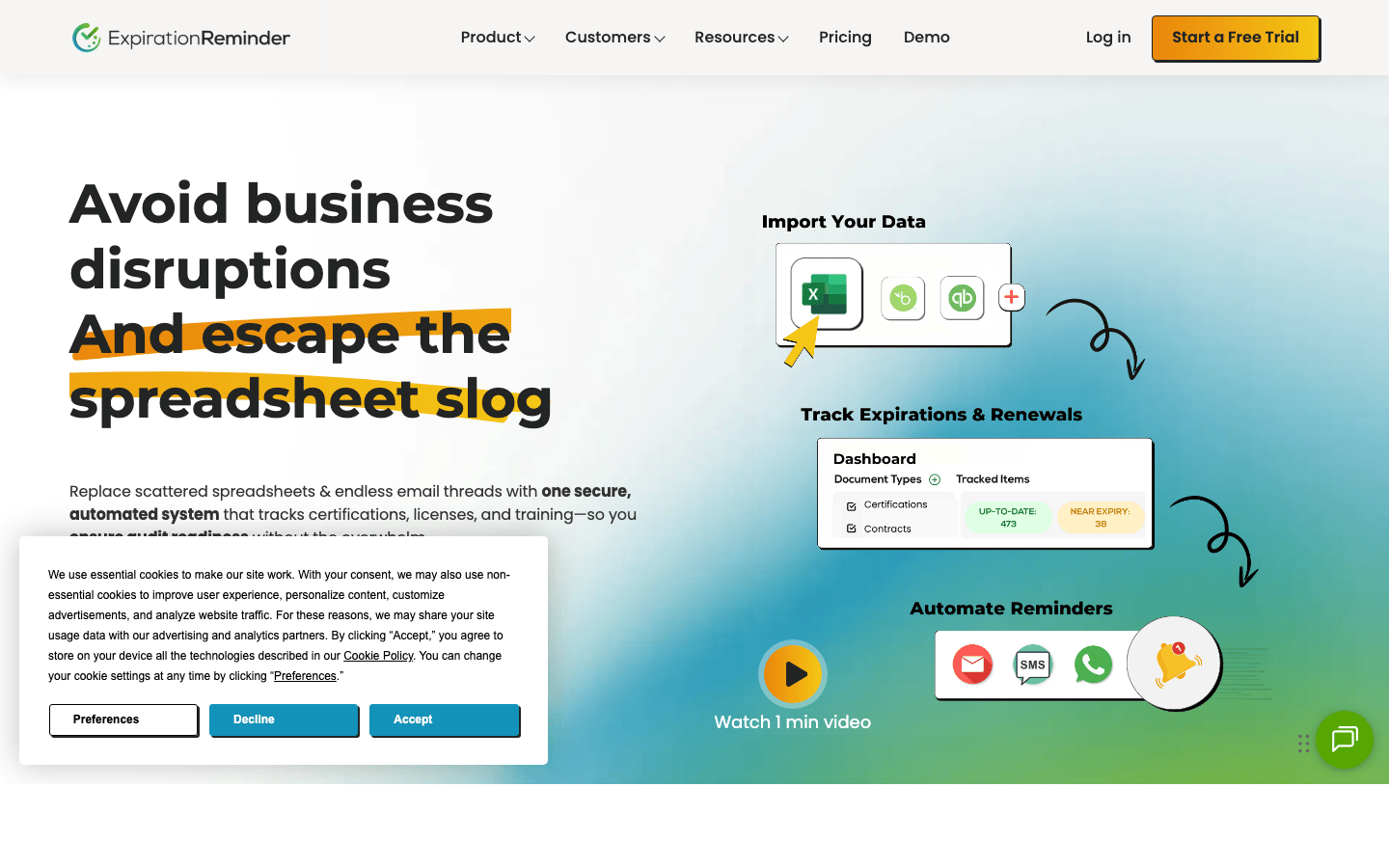
Expiration Reminder covers certifications, certificates of insurance, leases, permits, contracts, subscriptions, warranties, vehicles, and employee records. When I used it, the strongest part was the dedicated model where I did not have to convince a general database that an expiry date, current document, owner, and reminder schedule belonged together.
It also has a broader operational feature set than a basic reminder app, including document scanning, electronic signatures, mobile access, integrations, and reporting.
What made me look at alternatives was not that the product failed at expiry tracking. It was the buying trade-off. Teams may want a lower entry price, WhatsApp delivery, a permanent free plan, a simpler interface, or a tool they already pay for.
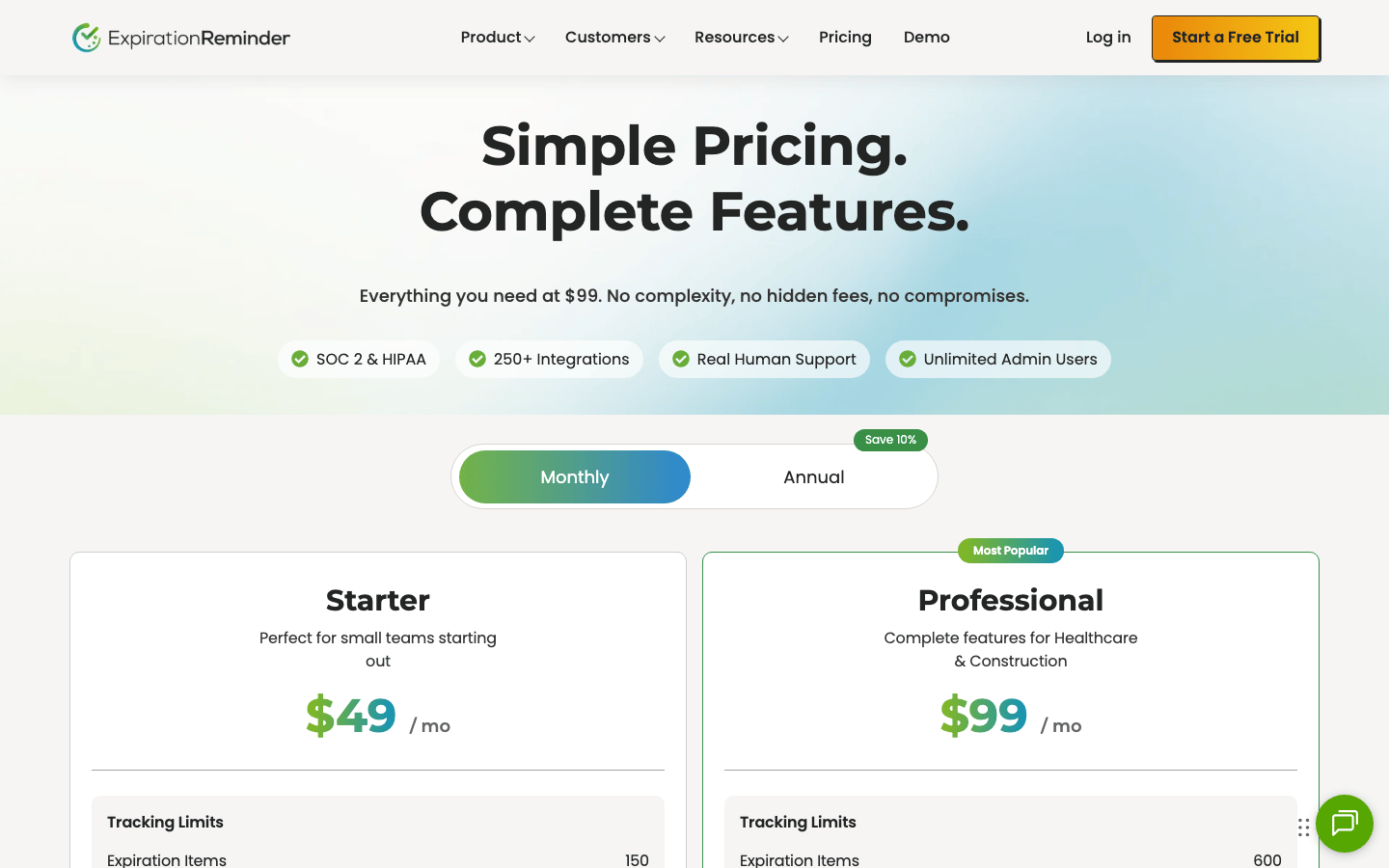
Expiration Reminder Pricing
- Starter: $49/month
- Professional: $99/month
- Business: $179/month
- Enterprise: $399/month
Expiration Reminder Reviews
- G2: 4.2 out of 5 stars (9+ reviews)
- Capterra: 4.5 out of 5 stars (49+ reviews)
Overall sentiment: The public reviews mostly match my experience. People value having expirations, documents, owners, and reminders in one place, and several reviewers specifically praise the dashboard and ease of tracking. The recurring complaints are a less-than-intuitive interface, slow loading, tedious bulk setup, and limits in reporting or integrations.
Summary: 10 Expiration Reminder Alternatives at a Glance
| Alternative | Best for | Reminder approach | Starting point price | My take |
|---|---|---|---|---|
| ExpiryScan | Teams leaving spreadsheets | Email and SMS | $29 monthly; $26/month billed annually | The most focused route when documents, owners, and renewal evidence need to stay together |
| Remindax | Multi-channel reminders | Email, SMS, and WhatsApp | Free for 15 items; paid from $29/month | Strong channel coverage, but check item and message-credit limits carefully |
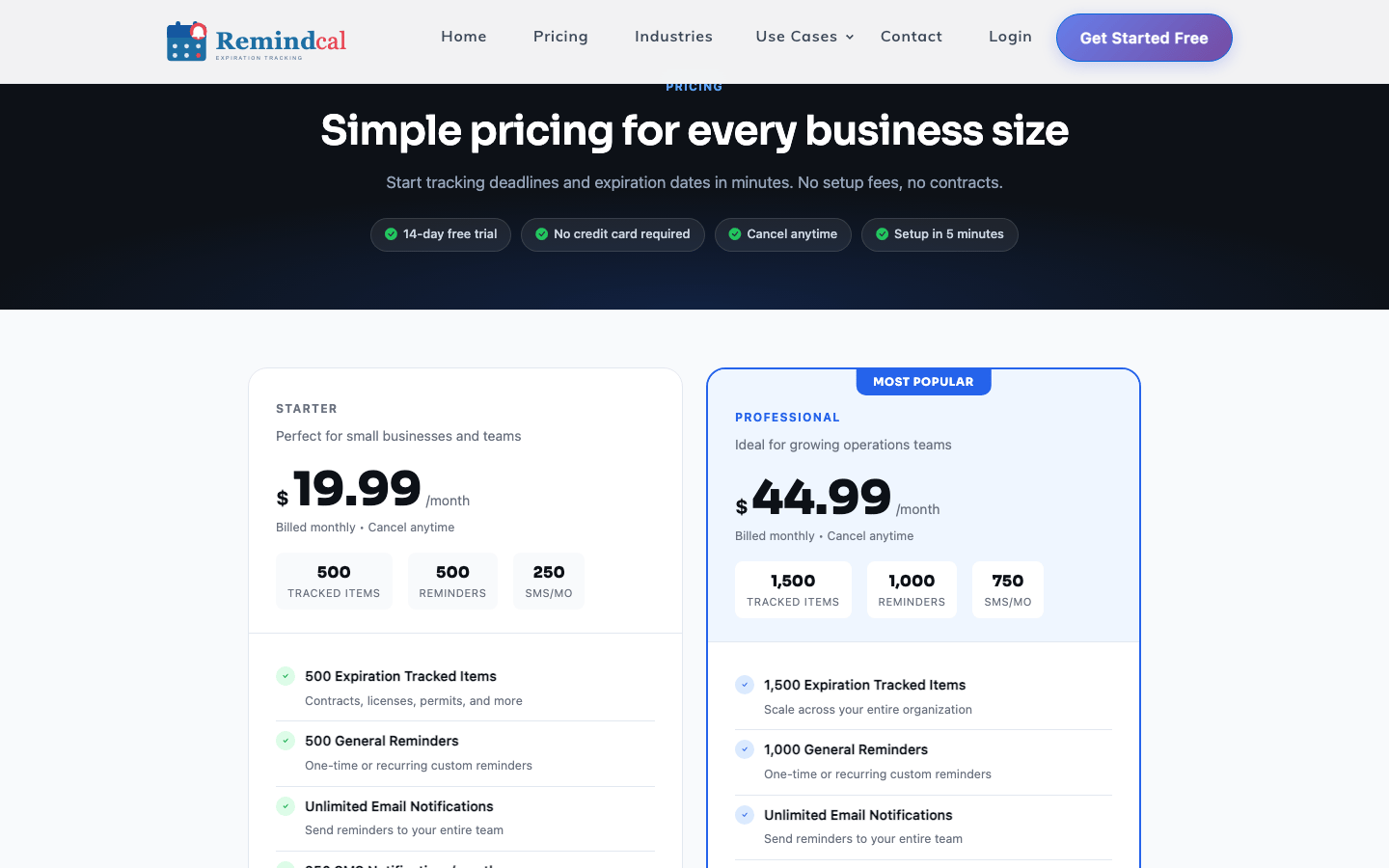
| RemindCal | Straightforward deadline tracking | Email and SMS | $19.99/month | Easy to understand and competitively priced, with fewer channel options |
| ExpiryEdge | Renewals with repeatable procedures | Email, SMS, and WhatsApp | $29 monthly; lower with annual billing | Best when a deadline should start a checklist, not just send an alert |
| Airtable | Custom data models | Configured automations | Free; Team from $20/user/month annually | Extremely flexible, but you own the system design and maintenance |
| Microsoft Lists | Existing Microsoft 365 teams | Configured Microsoft automations | Microsoft 365 plan-dependent | Sensible when the license and internal skills already exist |
| monday.com | Expiry work inside project operations | Configured automations | Free tier; paid per seat | Good at turning an expiry into assigned work, heavier as a record system |
| Notion | Records beside SOPs and knowledge | Native reminders and configured automations | Free; paid per member | Pleasant for context-rich records, less convincing for strict controls |
| Sheets or Excel | Small, low-risk registers | Manual or separately scripted | Free or suite-dependent | Fastest to start and easiest to outgrow |
| Shared calendar | A few simple renewal dates | Event notifications | Free or suite-dependent | Fine as a backup reminder layer, weak as the system of record |
1. ExpiryScan – Best for Teams Leaving Spreadsheets
Best for: Operations and compliance teams that want a focused expiry register without building one from scratch.
My take: ExpiryScan is the option I would choose when the spreadsheet has become unreliable but a large work-management platform feels like unnecessary machinery.
My Experience With ExpiryScan
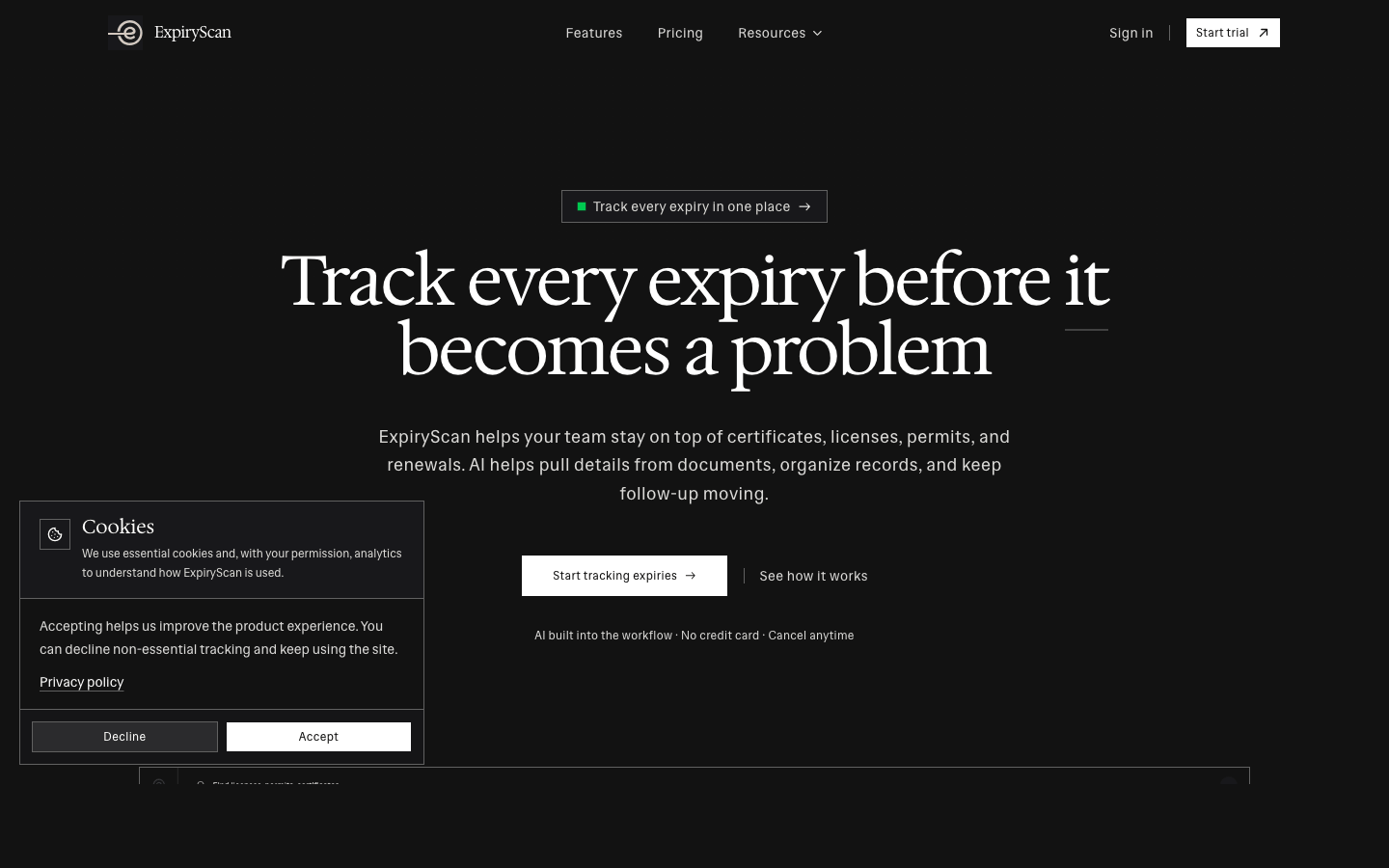
ExpiryScan keeps the workflow centred on the record: what is expiring, who owns it, when reminders should go out, where the current document is, and what proves the renewal is complete.
The part I value most is that I do not have to build the basic relationships myself. In Airtable or Lists, I first have to decide how owners, files, statuses, categories, and automations should work. ExpiryScan starts with those concepts already connected.
AI-assisted document extraction is useful when adding certificates, licences, permits, COIs, and similar records. It reduces repeated typing, but the real benefit is still the cleaner ownership and follow-up process after the record exists.
What I Like
- The setup is purpose-built rather than a blank database.
- Documents, dates, owners, reminders, and renewal evidence stay together.
- Email and SMS are available without constructing a separate automation stack.
- The interface remains focused on expiry work instead of wider project management.
Where It Falls Short
- It is a paid product, so it will not beat a spreadsheet on subscription price.
- Teams wanting extensive project planning, CRM, or knowledge management will still need their broader work tools.
- It is deliberately less open-ended than Airtable or monday.com.
ExpiryScan Pricing
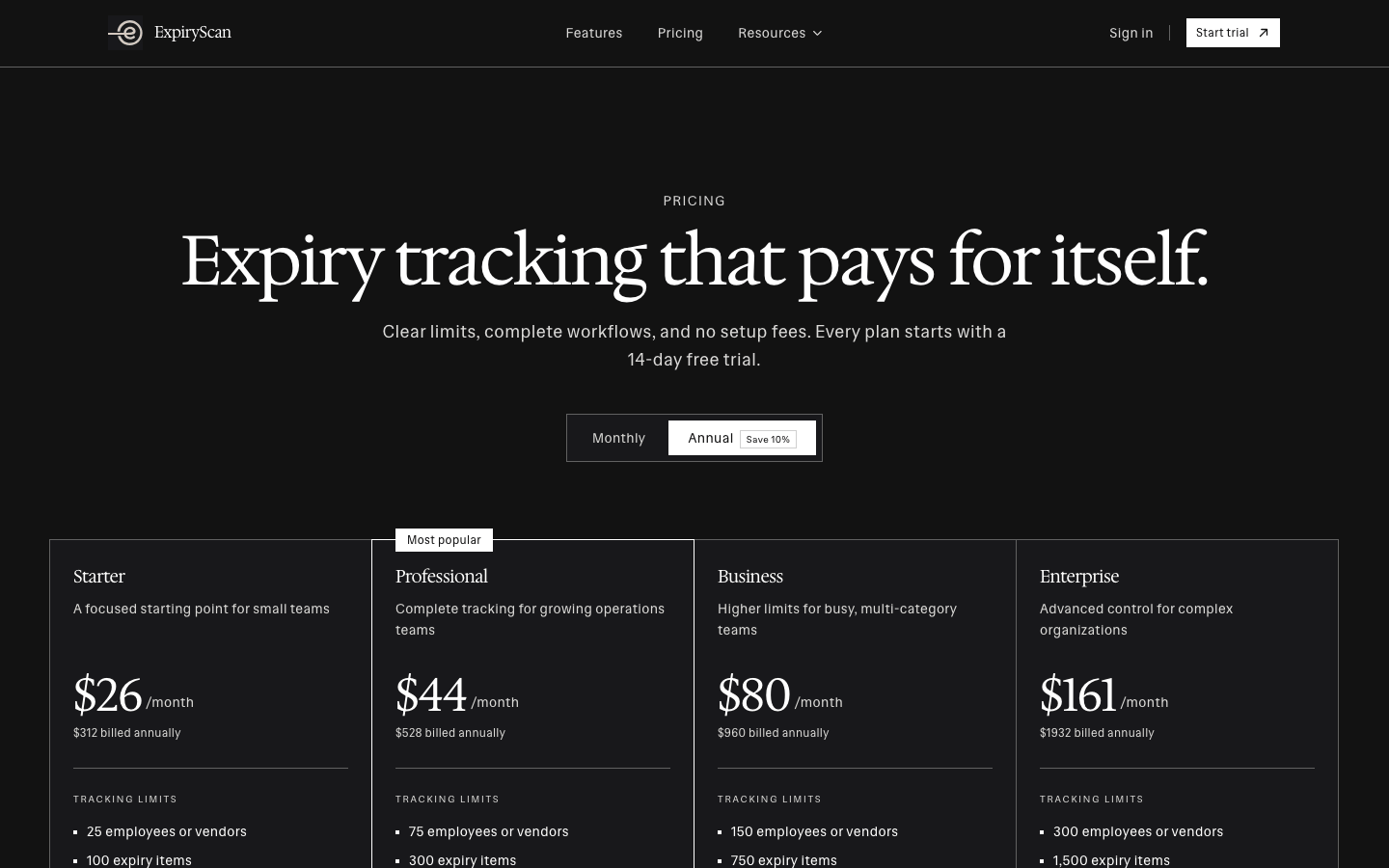
- Starter: $29/month, or $26/month billed annually
- Professional: $49/month, or $44/month billed annually
- Business: $89/month, or $80/month billed annually
- Enterprise: $179/month, or $161/month billed annually
2. Remindax – Best for Multi-Channel Reminders
Best for: Teams that want email, SMS, and WhatsApp reminders from one dedicated platform.
My take: Remindax is the most obvious direct alternative when notification reach matters more than having the simplest pricing model.
My Experience With Remindax
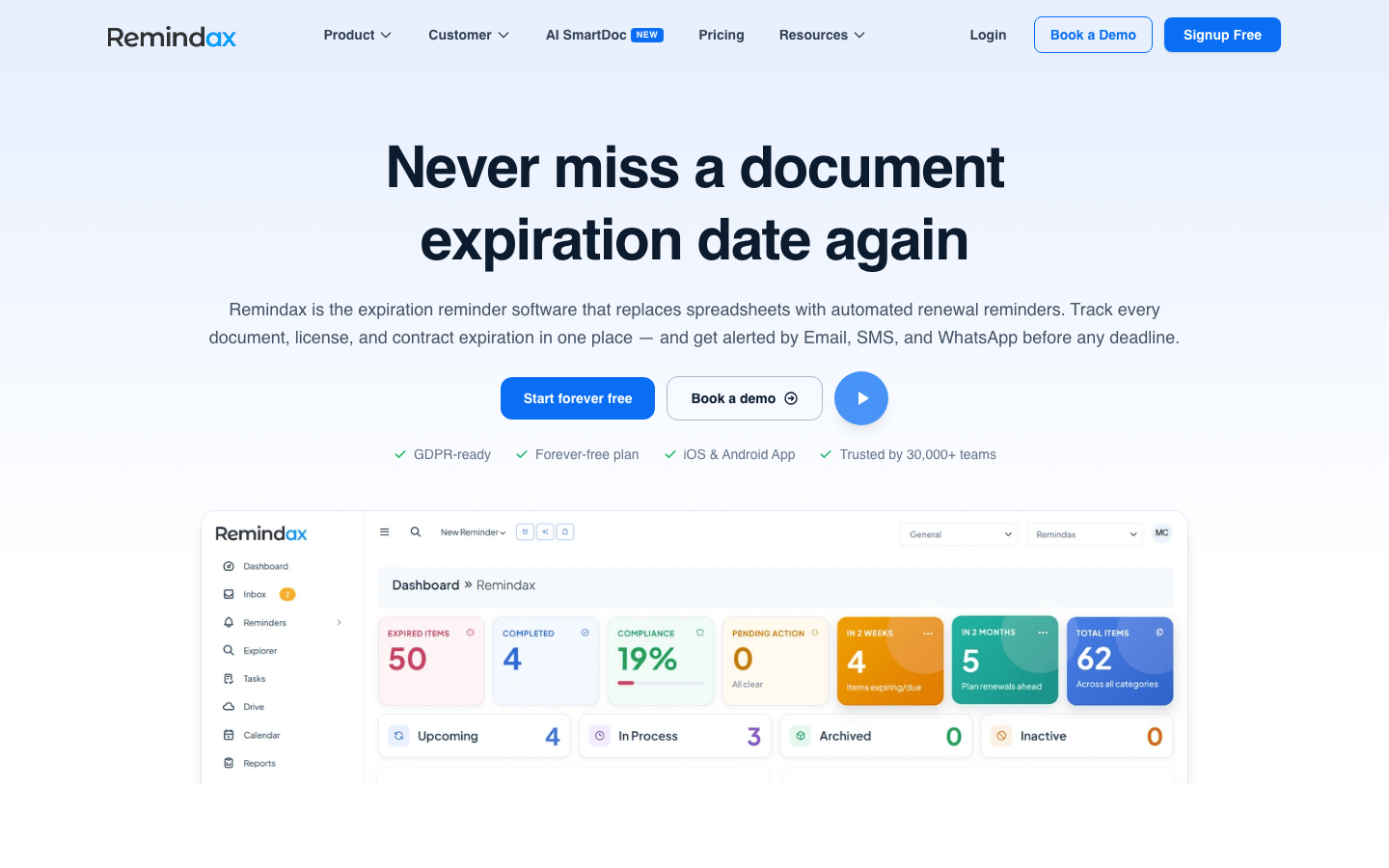
Remindax felt closest to a broad, mature expiration-management platform. I could keep records and files together, import spreadsheet data, assign access, and use several notification channels.
WhatsApp is the standout. For teams working across locations or with external contacts, it can be much harder to ignore than another email. The permanent free plan is also useful for trying the workflow with a small set of records.
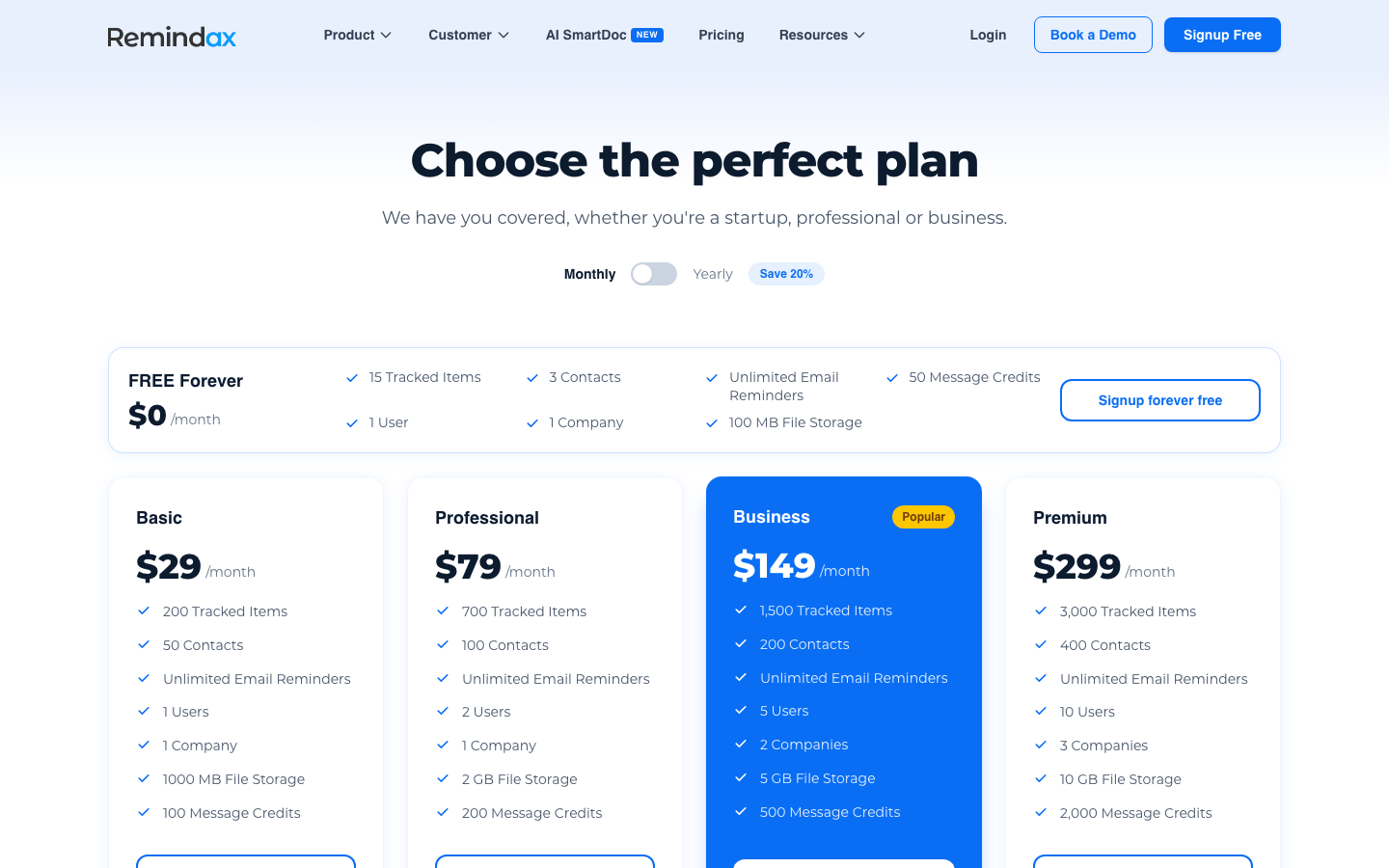
The trade-off is capacity arithmetic. Items, contacts, users, companies, storage, and message credits all change across plans. I would not choose a tier from the headline price alone.
What I Like
- Native email, SMS, and WhatsApp reminders.
- A genuine free plan rather than a time-limited trial.
- Role-based access, audit history, mobile apps, imports, and integrations.
- Better suited than a DIY database to international and multi-channel workflows.
Where It Falls Short
- The free plan's 15-item limit is enough to test, not enough for most operating registers.
- Message credits and capacity limits need careful calculation.
- The plan matrix takes more time to understand than RemindCal's simpler offer.
Remindax Pricing
- Free Forever: $0/month
- Basic: $29/month
- Professional: $79/month
- Business: $149/month
- Premium: $299/month
Remindax Reviews
- Capterra: 4.6 out of 5 stars (18+ reviews)
Overall sentiment: Users tend to like the straightforward expiry tracking, simple document handling, and reminder automation. The clearest negative themes are setup friction, occasional glitches, a dated or improvable interface, and inconsistent customer-support response. I would treat this as encouraging evidence, not a broad market consensus.
3. RemindCal – Best Low-Cost Dedicated Alternative
Best for: Small and growing teams that mainly need email and SMS reminders with clear capacity limits.
My take: RemindCal was the quickest direct competitor for me to understand. The product and pricing are simple, which is valuable when the team does not want a long software evaluation.
My Experience With RemindCal
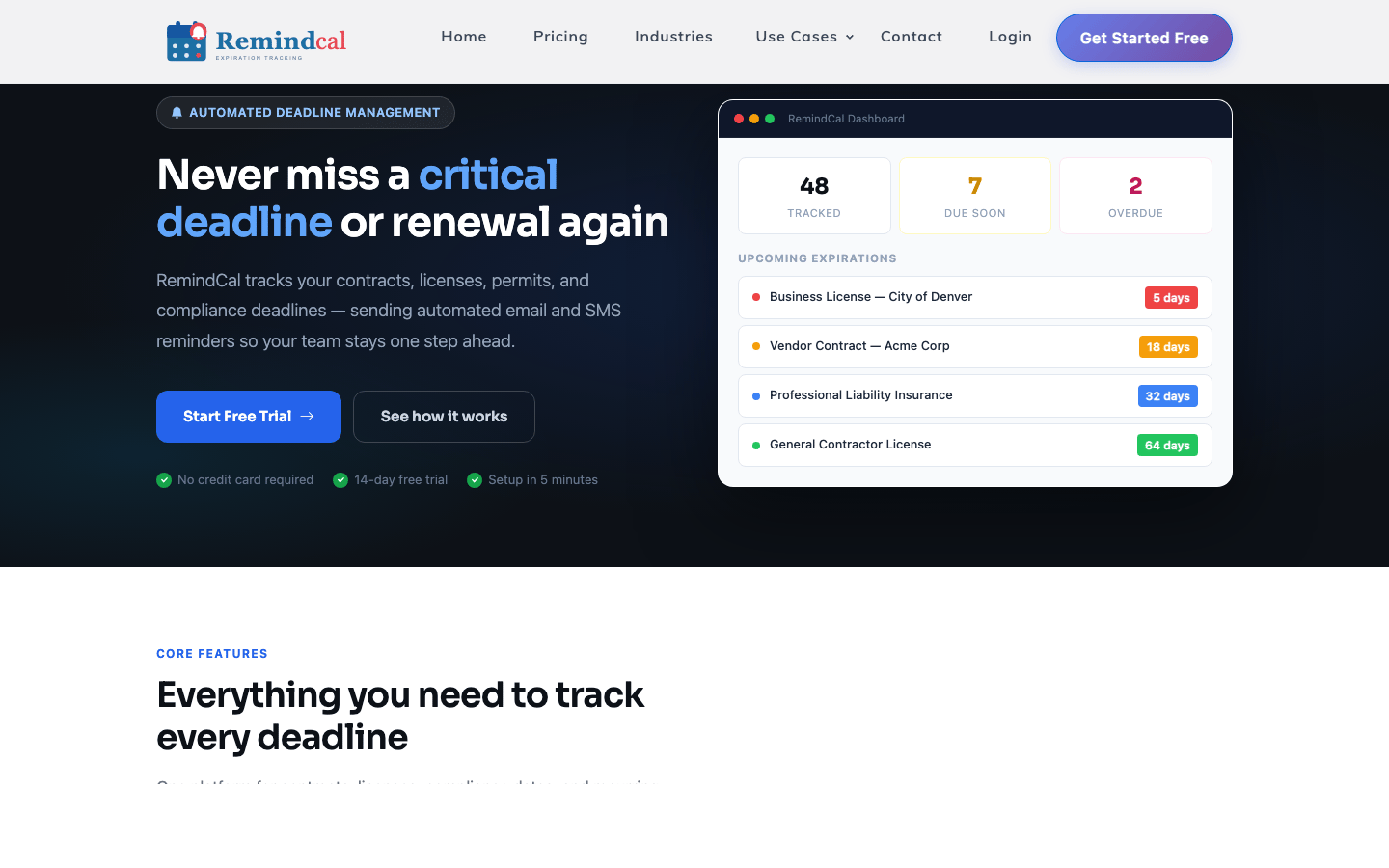
RemindCal focuses on contracts, licences, permits, and business deadlines. I liked that it did not make the basic workflow feel more complicated than it needed to be. Records, reminder intervals, attachments, dashboards, calendars, and team access are easy to connect mentally.
The two-plan structure also makes the buying decision clearer. I could look at the actual number of tracked items, general reminders, and SMS messages rather than compare a long list of loosely related enterprise features.
That simplicity is also the limitation. If I needed WhatsApp, a broader integration ecosystem, or much more complex routing, I would compare Remindax or ExpiryEdge first.
What I Like
- One of the lowest entry prices among the dedicated tools reviewed.
- Straightforward email and SMS reminder workflow.
- Clear tracked-item and message limits.
- A 14-day trial without a credit card.
Where It Falls Short
- No permanent free plan.
- Fewer notification-channel choices than Remindax or ExpiryEdge.
- Buyers with complex integrations should test those requirements early.
RemindCal Pricing
- Starter: $19.99/month
- Professional: $44.99/month
4. ExpiryEdge – Best for Checklist-Driven Renewals
Best for: Teams where an approaching expiry should launch a repeatable sequence of work.
My take: ExpiryEdge is more interesting than a simple reminder app. I would choose it when the renewal itself has several steps, owners, and evidence requirements.
My Experience With ExpiryEdge
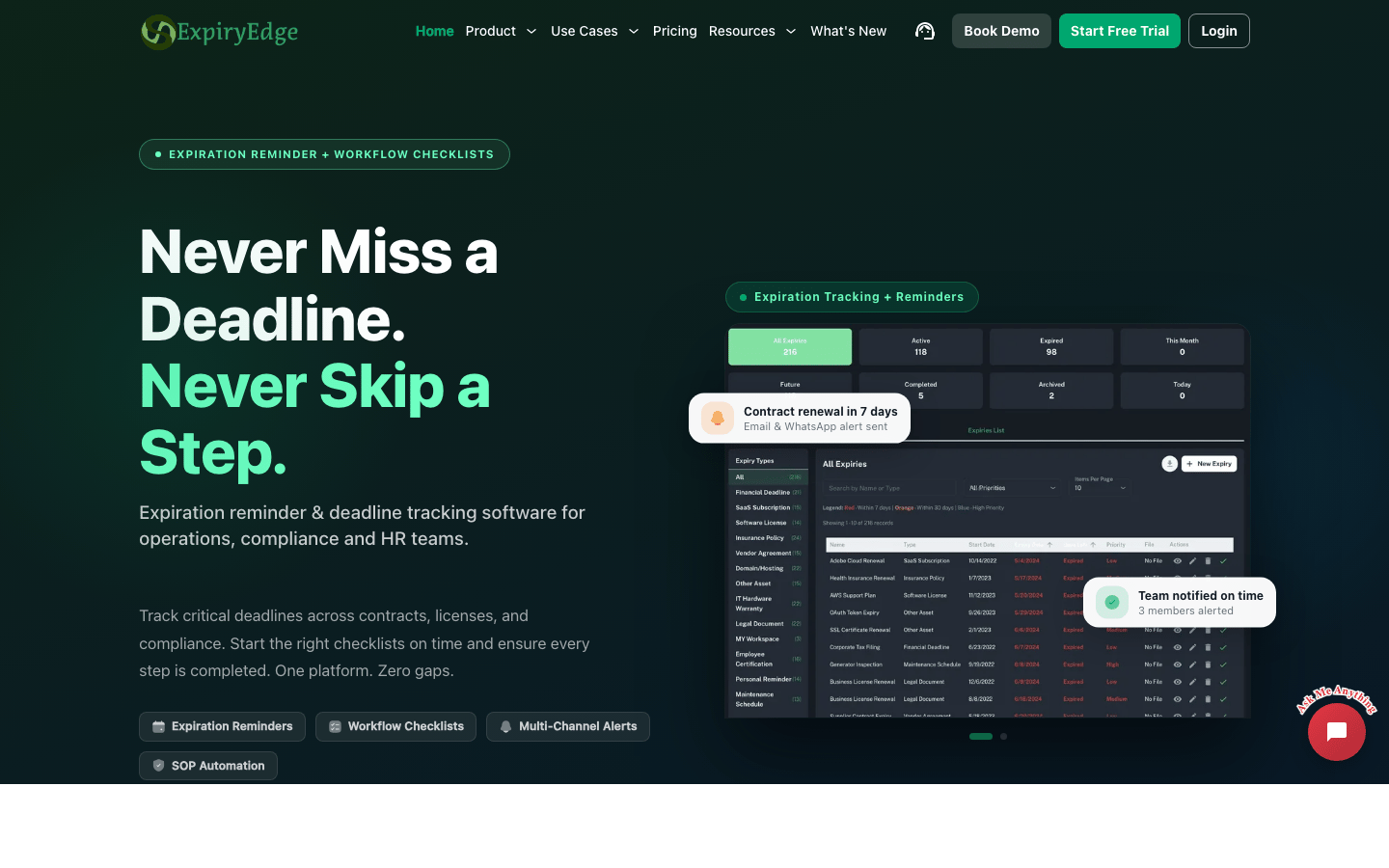
ExpiryEdge combines expiry records with workflow checklists. That difference became clearer in use: a deadline can trigger a procedure rather than merely produce another notification.
This is useful for renewals that require document requests, manager review, payment, approval, submission, and final evidence. I did not have to manage the entire process in a separate task tool.
For a very small register, though, the workflow depth can feel like more structure than necessary. I would not pay for checklist capacity if all I needed was a date and an email.
What I Like
- Expiry records and repeatable procedures live in the same product.
- Unlimited email reminders, with SMS and WhatsApp credits.
- AI scanning, internal document storage, and workflow runs are priced visibly.
- The free trial does not require a credit card.
Where It Falls Short
- The workflow model is more than a simple register may need.
- Plans have several limits to compare: expiries, users, workflows, runs, and message credits.
- The attractive annual price requires a yearly commitment.
ExpiryEdge Pricing
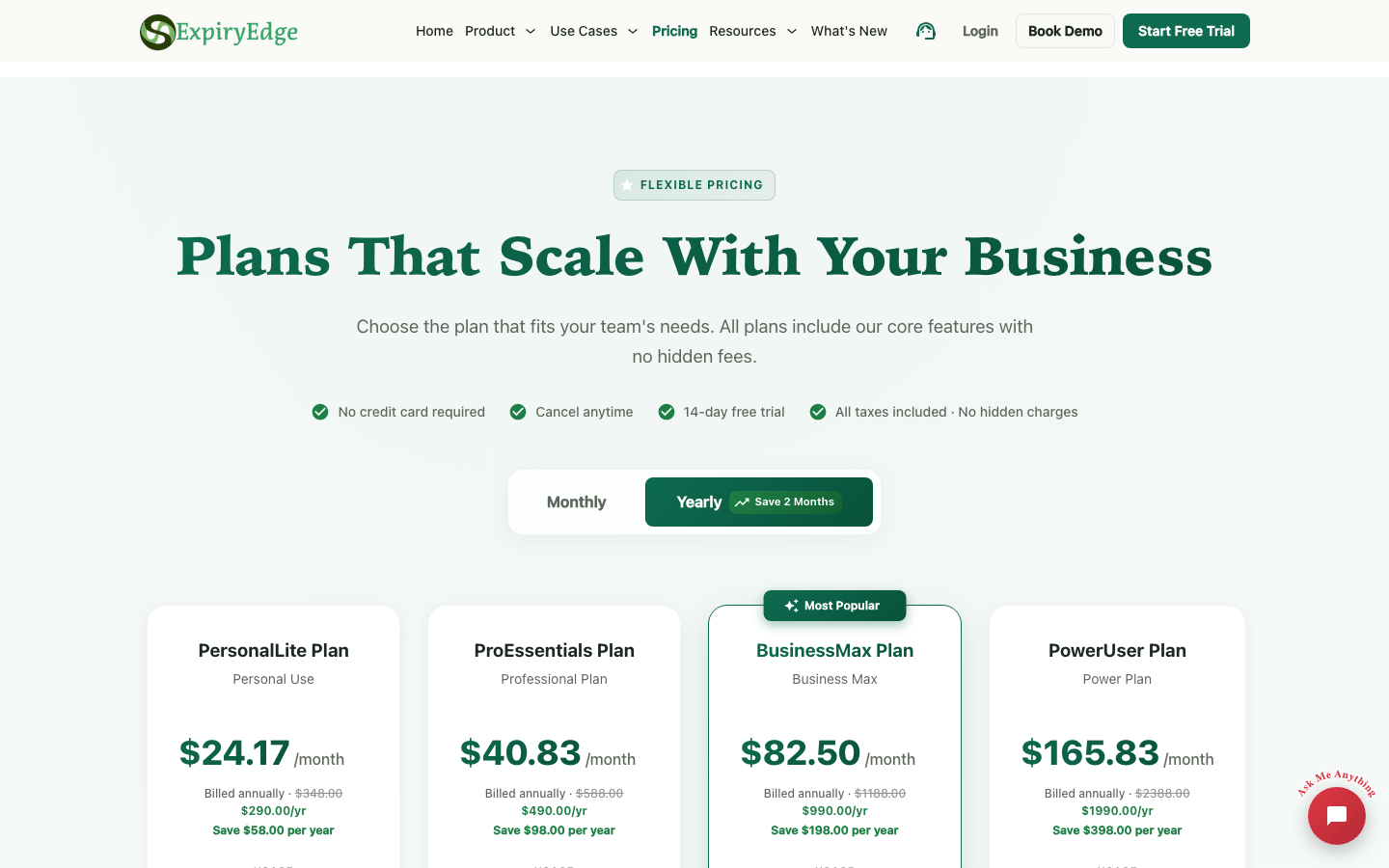
- PersonalLite: $29/month, or $24.17/month billed annually
- ProEssentials: $49/month, or $40.83/month billed annually
- BusinessMax: $99/month, or $82.50/month billed annually
- PowerUser: $199/month, or $165.83/month billed annually
ExpiryEdge Reviews
- G2: 4.5 out of 5 stars (1 review)
Overall sentiment: There is only one G2 review, so there is no dependable crowd consensus yet. That reviewer found ExpiryEdge easy to learn and useful for compliance paperwork, while noting that features occasionally did not work as expected. I would use that as one directional data point and put much more weight on a hands-on trial.
5. Airtable – Best Custom Database Alternative
Best for: Teams with unusual record relationships and someone willing to own the system design.
My take: Airtable gives me the most freedom, but it also makes me responsible for every important decision. I enjoy that flexibility until I am debugging the expiry system I built.
My Experience With Airtable
I can build a convincing expiry tracker in Airtable: records, owners, dates, linked vendors, attachments, filtered views, interfaces, forms, and automations. It is especially good when expiry data needs to connect with other operational data.
The problem is not whether Airtable can do it. It can. The problem is who maintains it after the first enthusiastic build.
Field definitions drift. Automations need testing. Permissions and interfaces change. Different teams create similar bases with different rules. Airtable works best when somebody is clearly responsible for the application, not just the data inside it.
What I Like
- The strongest custom data modelling in this list.
- Excellent for linked vendors, locations, assets, and related workflows.
- Useful interfaces and views for different teams.
- A free plan is available for lightweight use.
Where It Falls Short
- It is not an expiry tracker out of the box.
- Reminder reliability depends on the automations you design and maintain.
- Paid plans charge per editor, which can become expensive.
- Evidence and renewal history are only as consistent as the schema you enforce.
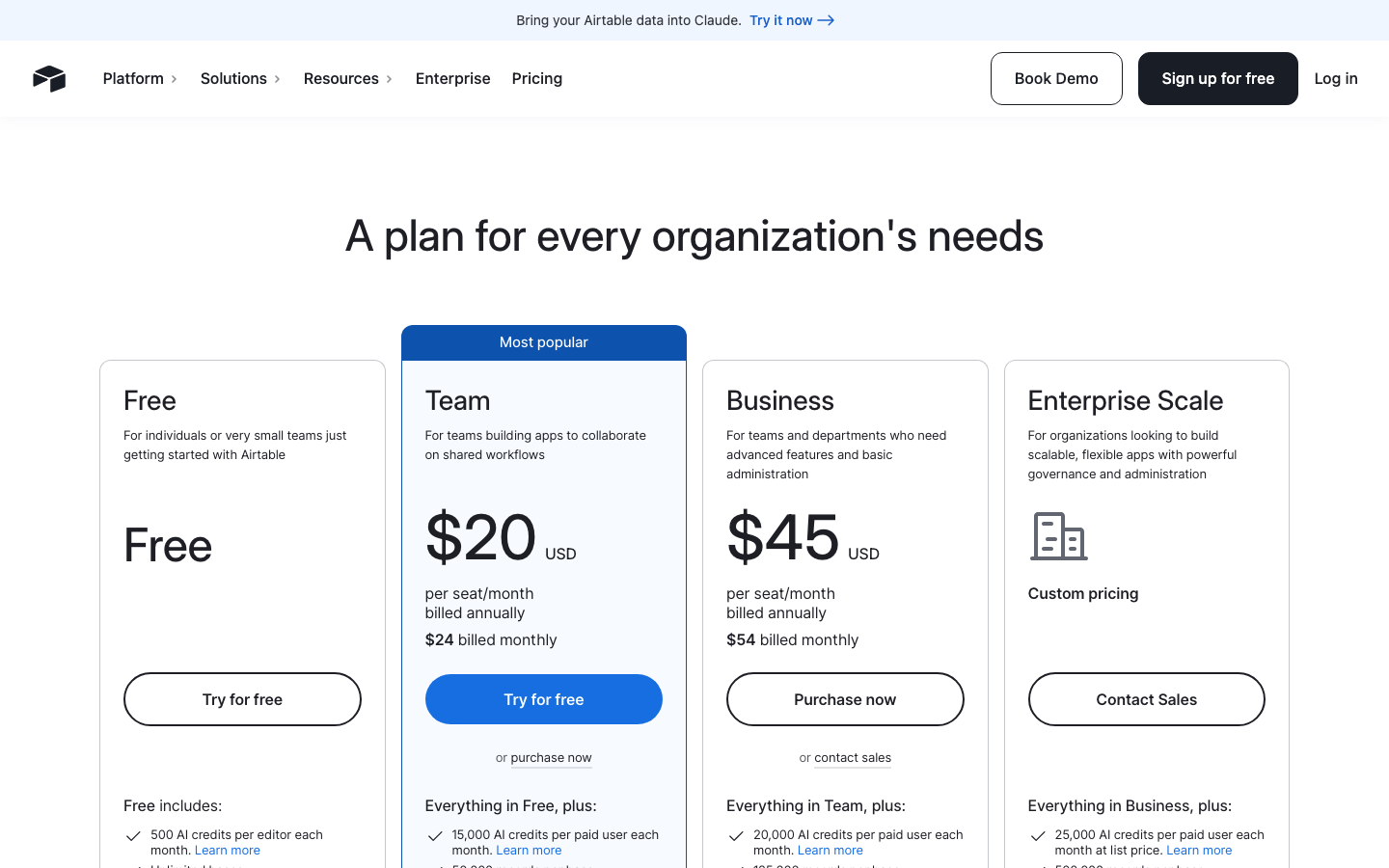
Airtable Pricing
- Free: $0
- Team: $20/seat/month billed annually, or $24 billed monthly
- Business: $45/seat/month billed annually, or $54 billed monthly
- Enterprise Scale: Custom pricing
Airtable Reviews
- G2: 4.6 out of 5 stars (3,200+ reviews)
- Capterra: 4.6 out of 5 stars (2,200+ reviews)
Overall sentiment: Airtable is widely liked for its flexibility, approachable database model, multiple views, and ability to turn scattered spreadsheets into shared workflows. That is exactly where I think it is strongest. Complaints cluster around the learning curve, rising per-seat cost, mobile and output limitations, and slower performance as bases or datasets grow.
6. Microsoft Lists and SharePoint – Best for Microsoft 365 Teams
Best for: Organizations already paying for Microsoft 365 and comfortable maintaining Lists, SharePoint, and Power Automate.
My take: This is often the easiest option to approve internally because the tools are already present. However, it is not always the easiest option to keep simple.
My Experience With Microsoft Lists
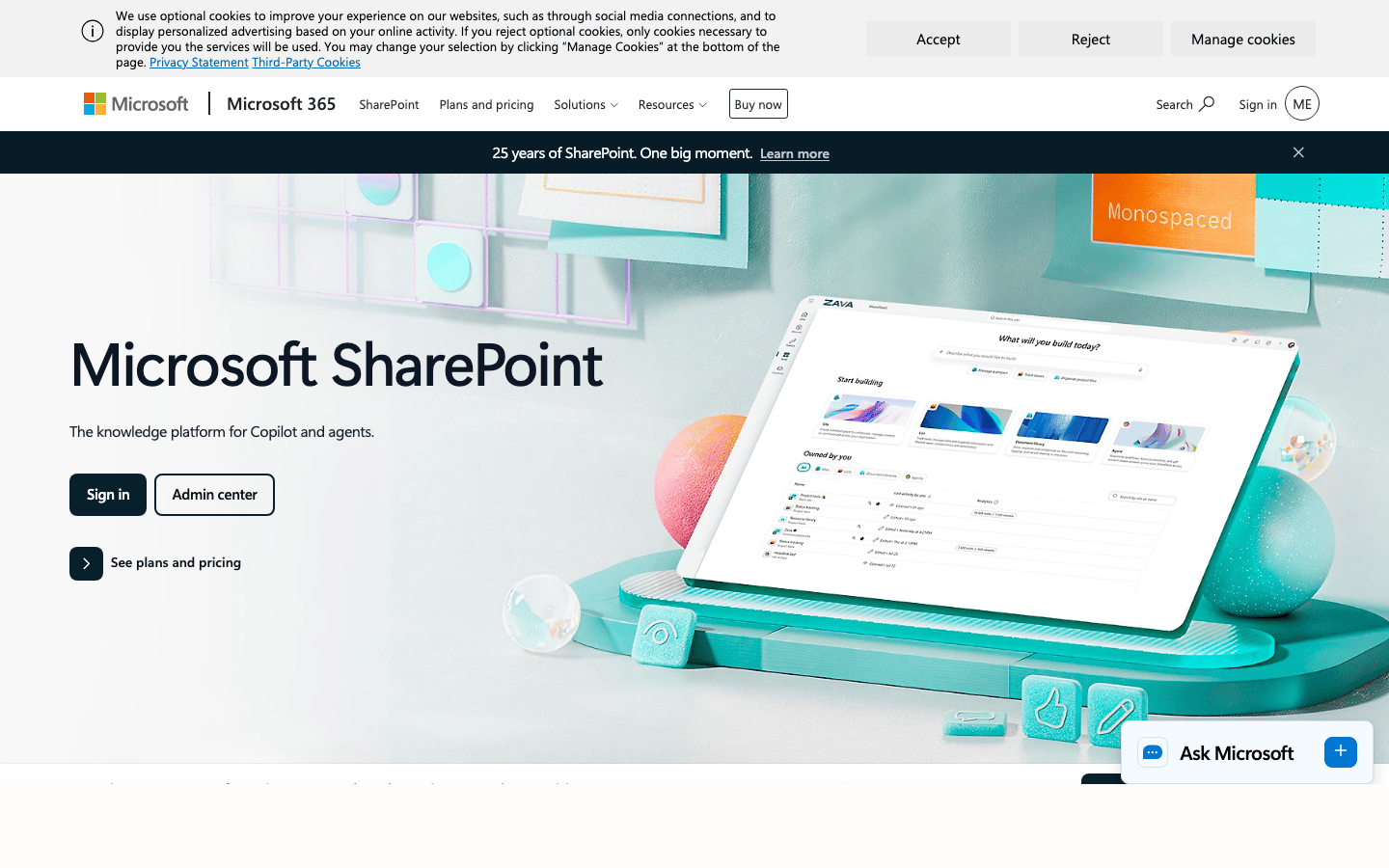
Microsoft Lists can hold owners, dates, statuses, categories, and attachments. SharePoint can store current documents, and Power Automate can send reminders or begin an approval.
When the organization already uses Microsoft identity, permissions, and document libraries, this can be a sensible way to avoid another vendor. It also keeps the expiry process close to the files people already use.
The friction appears in the automation layer. I have to decide how each flow behaves, what happens when it fails, who receives escalations, and how multiple lists stay consistent. A working setup is not the same as a maintained setup.
What I Like
- Often covered by an existing Microsoft 365 subscription.
- Strong identity, permissions, and SharePoint document storage.
- Flexible enough to connect reminders with approvals and other Microsoft workflows.
- Familiar environment for many internal IT teams.
Where It Falls Short
- Expiry-specific logic must be designed rather than switched on.
- Flow failures and permission issues require an internal owner.
- Multiple sites and lists can fragment the process.
- The apparent low price ignores implementation and maintenance time.
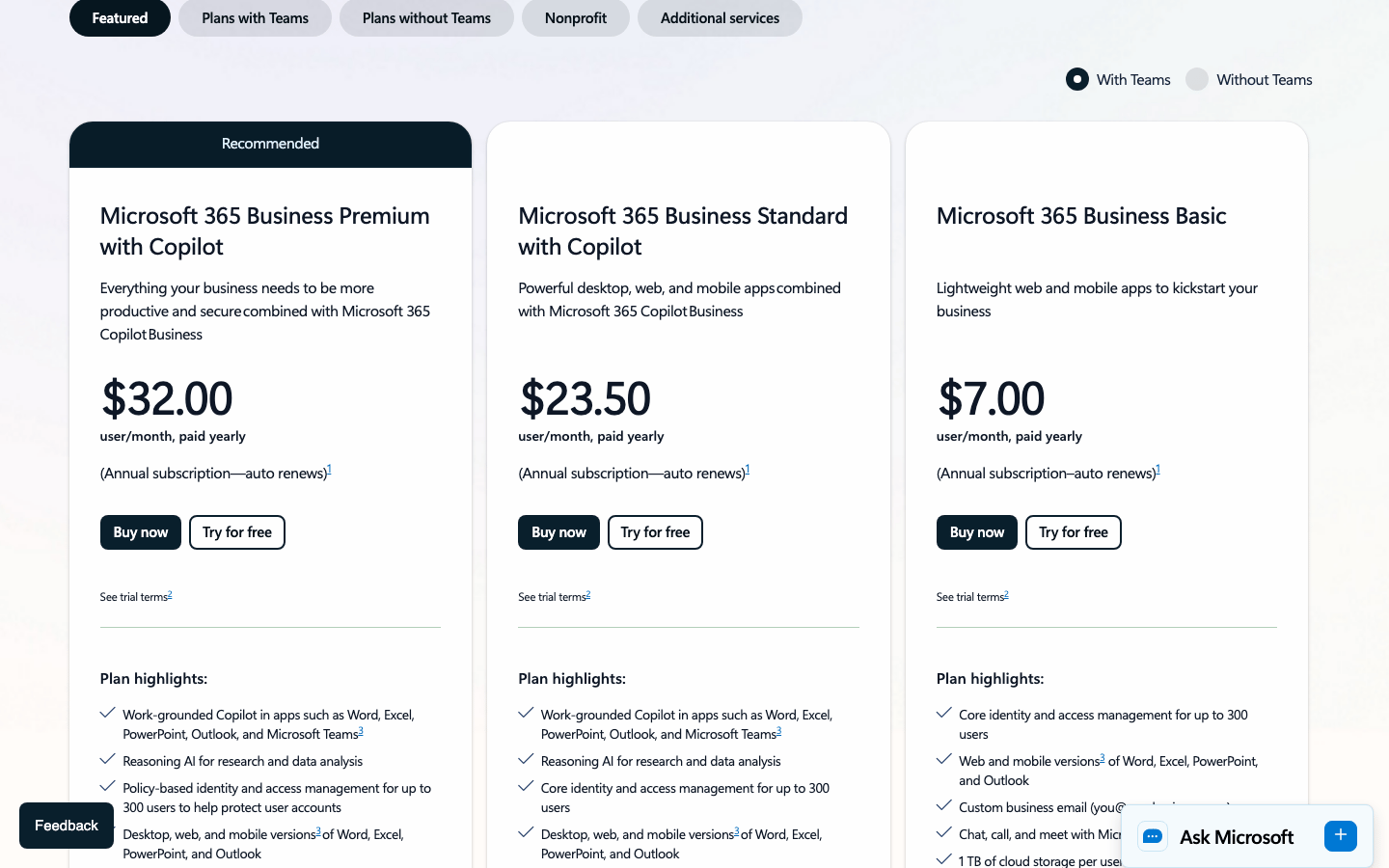
Microsoft 365 Pricing
- SharePoint Plan 1: $5/user/month paid yearly
- Microsoft 365 Business Basic: $6/user/month paid yearly
- Microsoft 365 Business Standard: $12.50/user/month paid yearly
- Microsoft 365 Business Premium: $22/user/month paid yearly
Microsoft SharePoint Reviews
- G2: 4.0 out of 5 stars (8,900+ reviews)
- Capterra: 4.4 out of 5 stars (5,400+ reviews)
Overall sentiment: SharePoint earns its place through centralized document control, permissions, versioning, and tight Microsoft 365 integration. Reviewers repeatedly praise those strengths. They also repeatedly mention the steep learning curve, confusing permissions and navigation, difficult setup, weak search, and slower performance in large libraries. My view is similar in that it can be a strong platform, but the quality of the expiry workflow depends heavily on how well your team designs and governs it.
7. monday.com – Best for Turning Expiries Into Project Work
Best for: Teams that already manage operational tasks and approvals in monday.com.
My take: monday.com is good when the expiry is the start of work. It is less natural when the expiring document itself needs to be the durable source of truth.

My Experience With monday.com
I can represent an expiry as a board item with an owner, date, status, files, automations, dependencies, and dashboard reporting. That makes monday.com useful when a renewal needs to move through several people or connect with a wider project.
The board model is action-oriented, which I like for follow-up. But it can become cluttered when I use it as a long-term record system for mixed document categories, versions, evidence, and historical renewals.
Pricing also deserves care. The page shows per-seat figures, but paid plans start with a minimum team size. The number beside a plan is not always the actual monthly bill.
What I Like
- Excellent at converting an upcoming expiry into assigned tasks.
- Strong automations, dashboards, views, and status tracking.
- Fits naturally when the team already runs operations in monday.com.
- Free plan available for very small teams.
Where It Falls Short
- Requires a designed board and automation model.
- Paid plans are seat-based and use minimum team sizes.
- Can feel heavy when expiry tracking is the only requirement.
- Documents and renewal evidence can become secondary to task movement.
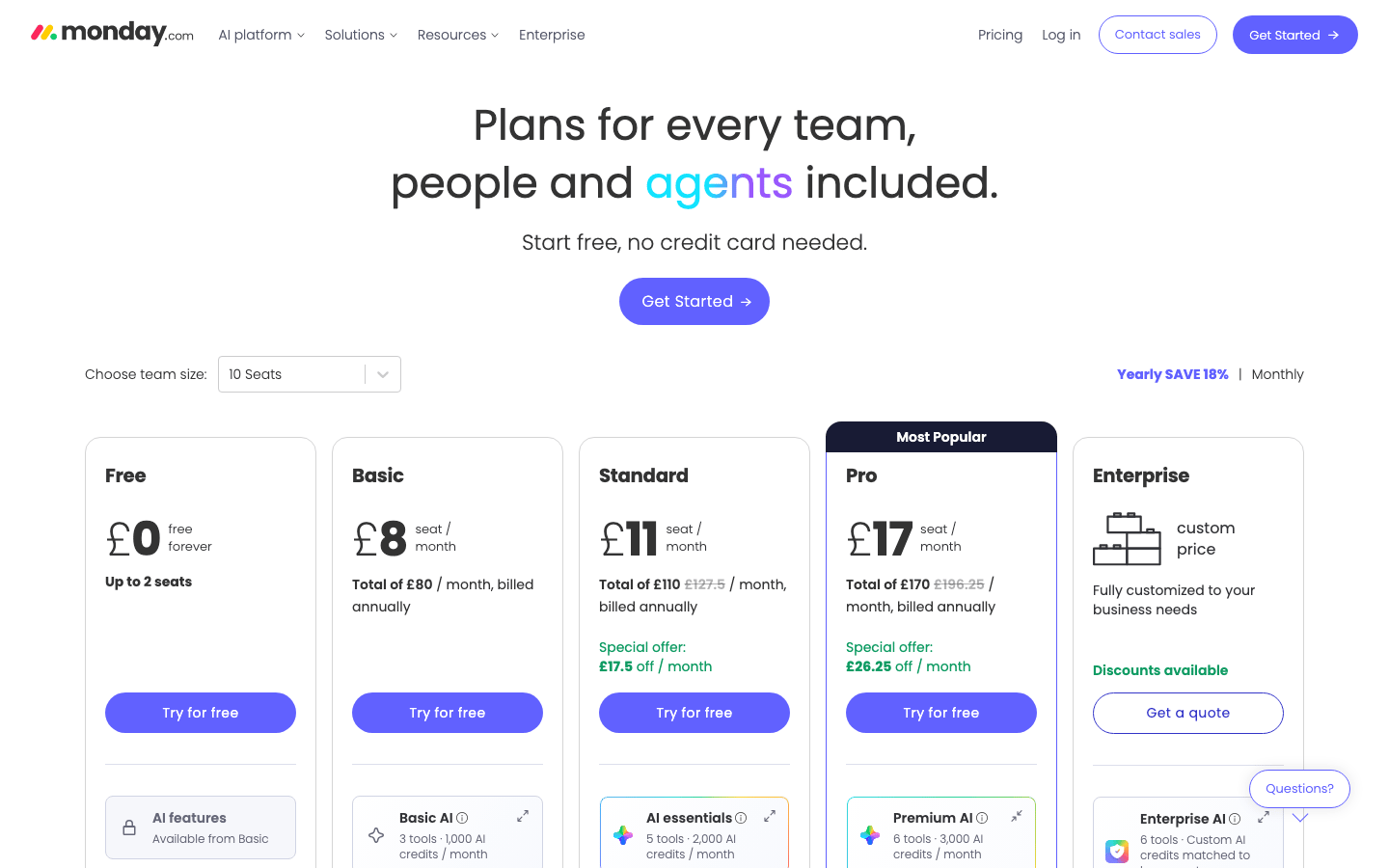
monday.com Pricing
- Free: £0 for up to two seats
- Basic: £8/seat/month billed annually
- Standard: £11/seat/month billed annually
- Pro: £17/seat/month billed annually
- Enterprise: Custom pricing
Paid plans have minimum seat quantities, so the displayed per-seat price is not necessarily the final monthly bill.
monday.com Reviews
- G2: 4.7 out of 5 stars (15,200+ reviews)
- Capterra: 4.6 out of 5 stars (6,000+ reviews)
Overall sentiment: monday.com has the strongest review volume in this guide after the large office suites. Users consistently like the visual interface, customization, task organization, and team collaboration. The downside of that flexibility is feature density: new users can feel overwhelmed, and reviewers still flag learning curve, missing features, limited customization in specific areas, and complexity as boards expand. I found it strongest when an expiry needed to become assigned project work.
8. Notion – Best for Records Beside SOPs and Knowledge
Best for: Small teams that want expiry records close to instructions, notes, and internal documentation.
My take: Notion is the nicest place in this list to explain the renewal process. I personally won't trust it for strict escalations or operational evidence.

My Experience With Notion
Notion lets me put an expiry database beside the SOP that explains what to do, the vendor page with background information, and the meeting notes from the last renewal. That context is genuinely useful.
It is also fast to shape. I can create a template with an owner, date, status, file, renewal notes, and linked process page without much effort.
The weakness is control. Flexible pages encourage variation. Reminder and automation behaviour depends on the plan and setup. For low-to-moderate-risk records, that may be acceptable. For strict reporting, escalations, and evidence, I prefer a dedicated tracker.
What I Like
- Excellent for keeping records beside SOPs and team knowledge.
- Pleasant database and page-building experience.
- Useful free plan for individuals and small experiments.
- Templates make a simple record structure easy to repeat.
Where It Falls Short
- Easy for records and pages to become inconsistent.
- Reminder and automation depth is not its main strength.
- Operational reporting and evidence controls need careful design.
- Per-member pricing can exceed the cost of a focused tool.
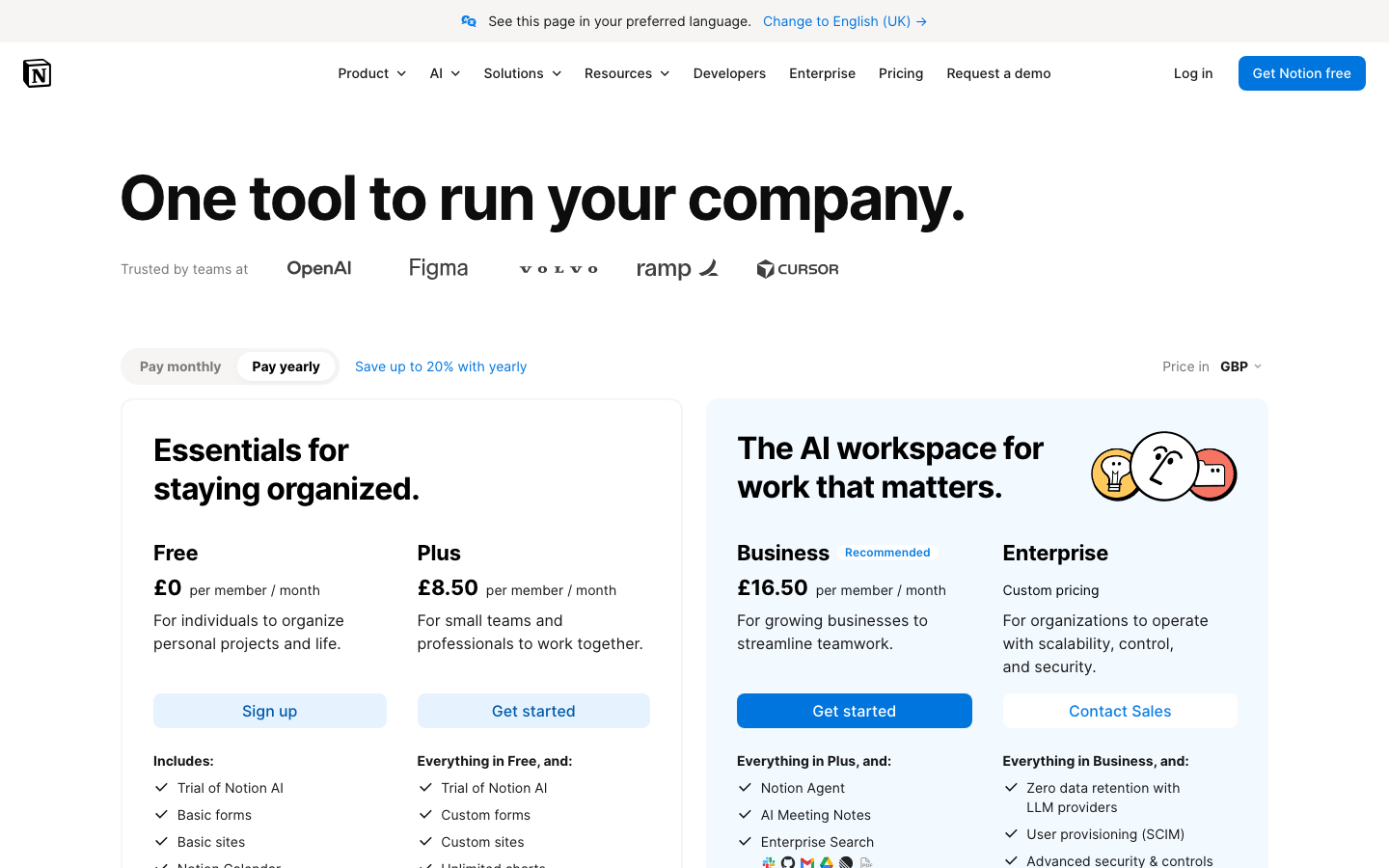
Notion Pricing
- Free: £0
- Plus: £8.50/member/month billed annually
- Business: £16.50/member/month billed annually
- Enterprise: Custom pricing
Notion Reviews
- G2: 4.6 out of 5 stars (11,500+ reviews)
- Capterra: 4.7 out of 5 stars (2,700+ reviews)
Overall sentiment: Notion is praised for putting notes, databases, tasks, and knowledge in one highly adaptable workspace. Reviewers like the clean interface and collaboration, which matches why I enjoy using it for context-rich renewal records. The recurring trade-offs are initial setup, a learning curve created by all that flexibility, weak or limited offline use, mobile friction, and lag on large pages or databases.
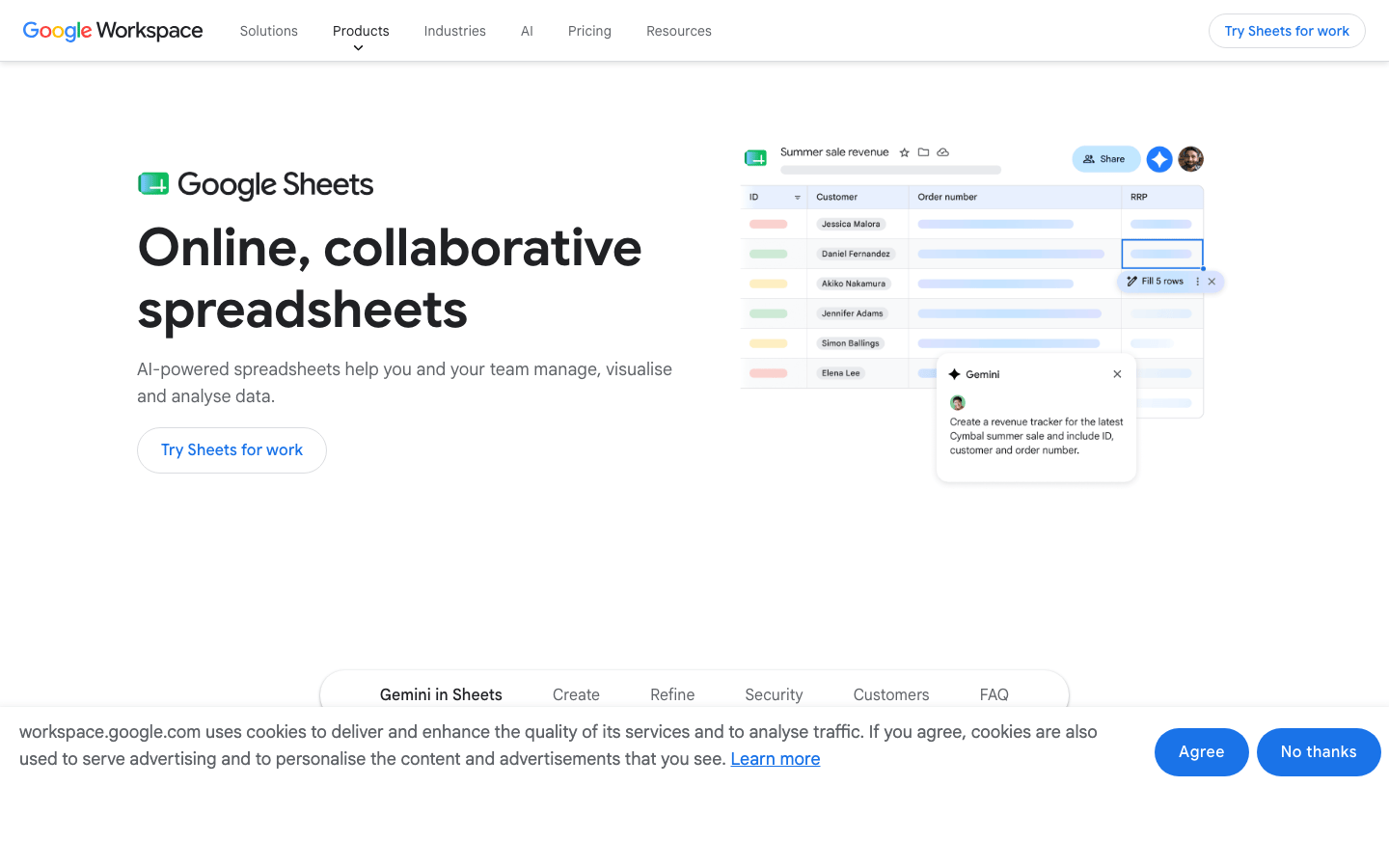
9. Google Sheets or Microsoft Excel – Best Free Starting Point
Best for: A small, low-risk register under one dependable owner.
My take: A spreadsheet is still the fastest way to learn what the team needs. It is also the easiest system to mistake for something more reliable than it is.
My Experience With Spreadsheet Tracking
I still use spreadsheets for imports, clean-up, and early workflow discovery. A useful register can be built in minutes with columns for record name, category, owner, expiry date, reminder date, status, file link, and notes.
The weakness appears gradually. A formula gets overwritten. A file link points to an old version. The owner changes role. A red cell looks urgent but does not actually notify anyone. A manager cannot tell whether the renewal is complete or merely discussed.
For a few low-risk dates, that trade-off is acceptable. For a shared compliance process, I treat the spreadsheet as a staging tool rather than the final system.
What I Like
- Familiar to almost every team.
- Fastest and cheapest way to start.
- Excellent for imports, exports, and cleaning existing data.
- Flexible while the team is still defining categories and fields.
Where It Falls Short
- A coloured cell is not a delivered reminder.
- Ownership, escalation, evidence, and history are weak.
- Formula and file-link errors are easy to miss.
- Multi-user editing makes consistency harder as the register grows.
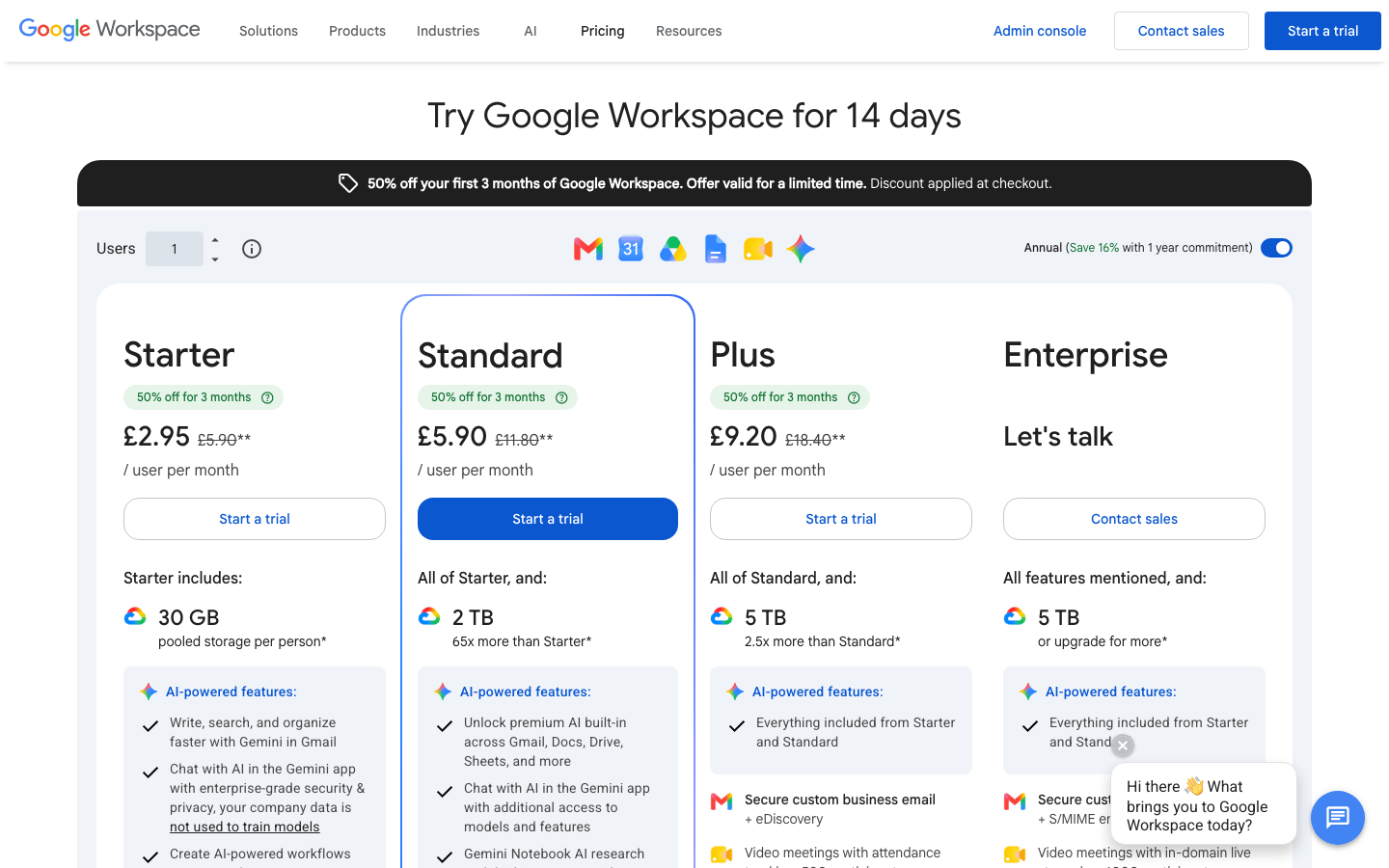
Spreadsheet Pricing
- Google Sheets for personal use: $0
- Google Workspace Business Starter: $7/user/month with an annual commitment
- Google Workspace Business Standard: $14/user/month with an annual commitment
- Google Workspace Business Plus: $22/user/month with an annual commitment
- Microsoft Excel for the web: $0 for personal use
- Microsoft 365 Business Standard with desktop Excel: $12.50/user/month paid yearly
Google Sheets and Microsoft Excel Reviews
- Google Workspace on G2: 4.6 out of 5 stars (47,700+ reviews)
- Google Sheets on Capterra: 4.7 out of 5 stars (13,200+ reviews)
- Microsoft Excel on G2: 4.7 out of 5 stars (3,100+ reviews)
- Microsoft Excel on Capterra: 4.8 out of 5 stars (19,400+ reviews)
Overall sentiment: Google Sheets wins praise for accessibility, real-time collaboration, sharing, and value, but reviewers regularly mention sluggishness and weaker analysis when files become large or complex. Excel is still regarded as the more powerful analysis tool, with formulas, PivotTables, Power Query, and broad compatibility as major strengths. Its recurring negatives are complexity, version-control problems, subscription cost, and slow or fragile workbooks at scale. That mirrors how I use them: excellent for discovery and data work, less convincing as a controlled renewal system.
10. Shared Calendar Reminders – Best for a Handful of Dates
Best for: A few low-risk renewals or a backup notification layer beside another register.
My take: A shared calendar works until someone asks a question the event cannot answer: Who owns the renewal? Is the new document attached? Was it approved? What happened last year?
My Experience With Calendar Reminders
Google Calendar and Outlook make it easy to create a renewal event and notify several people in advance. For ten dates, this can be perfectly adequate.
The problem is that the calendar stores an event, not a complete expiry record. Status, document version, evidence, category reporting, and renewal history have to live somewhere else. Dismissing an alert can look exactly like completing the work.
I use calendar alerts as an extra layer, not as the primary register for important records.
What I Like
- Nearly zero learning curve.
- Built-in notifications on tools the team already checks.
- Useful as a secondary reminder channel.
- Free for personal use and included in common business suites.
Where It Falls Short
- Weak status, evidence, ownership, and reporting.
- Events become stale when roles or processes change.
- Dismissed notifications do not prove completion.
- The current document and renewal history usually live elsewhere.
Shared Calendar Pricing
- Google Calendar for personal use: $0
- Google Workspace Business Starter: $7/user/month with an annual commitment
- Outlook.com calendar for personal use: $0
- Microsoft 365 Business Basic with web and mobile Outlook: $6/user/month paid yearly
- Microsoft 365 Business Standard with desktop Outlook: $12.50/user/month paid yearly
Google Calendar and Microsoft Outlook Reviews
- Google Calendar on Capterra: 4.8 out of 5 stars (4,200+ reviews)
- Microsoft Outlook on G2: 4.5 out of 5 stars (3,500+ reviews)
- Microsoft Outlook on Capterra: 4.5 out of 5 stars (2,400+ reviews)
Overall sentiment: Users like Google Calendar for its simplicity, cross-device syncing, sharing, and Google ecosystem integrations; complaints focus on occasional sync or notification issues, clutter, and limited advanced customization. Outlook users value having email, calendar, contacts, and tasks in one familiar Microsoft interface, but slower performance, sync problems, and search friction appear repeatedly. I agree with the positive scheduling sentiment, but neither review profile changes the core limitation here: a calendar event is not a complete expiry record.
Which Alternative Would I Choose?
If I wanted a focused expiry system without building one, I would shortlist ExpiryScan, Remindax, RemindCal, and ExpiryEdge.
- I would choose ExpiryScan for a clean owner-led register with documents and renewal evidence.
- I would choose Remindax when WhatsApp and multi-channel reminders were central to the workflow.
- I would choose RemindCal for a smaller team that valued simple pricing and primarily needed email and SMS.
- I would choose ExpiryEdge when each deadline needed to launch a repeatable checklist.
If the team already had a well-managed work platform and someone to maintain the setup, I would consider Airtable, Microsoft Lists, monday.com, or Notion.
I would use Sheets, Excel, or a shared calendar only for a small, low-risk register—or as a temporary step before moving into a more controlled system.
How to Trial an Expiration Reminder Alternative
Do not trial these products with three perfect demo records. Use 20 to 50 real records from different categories, including at least one missing document, one overdue item, and one completed renewal.
During the trial:
- Import or create records using the process the team will use after launch.
- Attach current documents and confirm who can view or replace them.
- Assign primary and backup owners.
- Configure realistic reminder windows.
- Test every promised channel with actual recipients.
- Complete one renewal and inspect the retained notes, file, status, and history.
- Export or filter a manager view by owner, category, and due window.
- Calculate the paid tier using real records, users, storage, workspaces, and message volume.
The best tool is not the one with the longest feature list. It is the one your team can keep accurate after the initial setup energy disappears.
Frequently Asked Questions
What is the best alternative to Expiration Reminder?
For a purpose-built system, I would compare ExpiryScan, Remindax, RemindCal, and ExpiryEdge with real records. ExpiryScan is the most focused for owner-led document tracking, Remindax has the broadest reminder channels, RemindCal has a low entry price, and ExpiryEdge is strongest for checklist-driven renewals.
Is there a free Expiration Reminder alternative?
Remindax publishes a permanent free plan for up to 15 items. Airtable and Notion also have free plans, but they require configuration. Google Sheets, Excel, and shared calendars can avoid a new subscription when the organization already has them, although the process remains more manual.
Can Excel or Google Sheets replace Expiration Reminder?
Yes, for a small, low-risk register with one accountable owner. I would move beyond a spreadsheet when several people edit it, documents live in separate folders, reminders are configured elsewhere, or managers need proof that renewals were completed.
Which option is best for a growing organization?
Compare the next 12 to 24 months of records and users, not today's smallest plan. Check item capacity, users, workspaces, permissions, storage, integrations, message credits, reporting, exports, and the internal time required to maintain the system.
How should I migrate from Expiration Reminder?
Export the available record data, clean owner and category fields, map current document locations, and test a small import first. Keep the old system available until the team verifies reminders, permissions, attachments, and renewal history in the replacement.
Track Expiry Dates and Renewal Evidence in ExpiryScan
ExpiryScan is the product behind this comparison and one of the dedicated alternatives I have used. It brings expiry dates, owners, reminder timing, documents, renewal notes, and status into one focused workflow.
Compare ExpiryScan pricing or start tracking expiry dates.
Related Articles
- Document expiry reminder software
- COI tracking software
- Healthcare credentialing software
- Compliance calendar
Review method
How this comparison was reviewed
To give teams a candid, experience-led shortlist of direct Expiration Reminder competitors, configurable business systems, and free or DIY options without pretending they are all the same kind of product.
Reviewed by: Hands-on product review
How this guide was made: I've used every option in this guide and compare them by setup, reminder delivery, record ownership, document handling, daily use, and cost. ExpiryScan publishes this guide and sells one of the products listed.
Last reviewed: