
The best Remindax alternative depends on why you are replacing it.
If email, SMS, and WhatsApp reminders are the priority, Remindax remains one of the strongest dedicated options I have used. It has a real free plan, sensible imports, document storage, mobile apps, role-based access, and a wide notification mix.
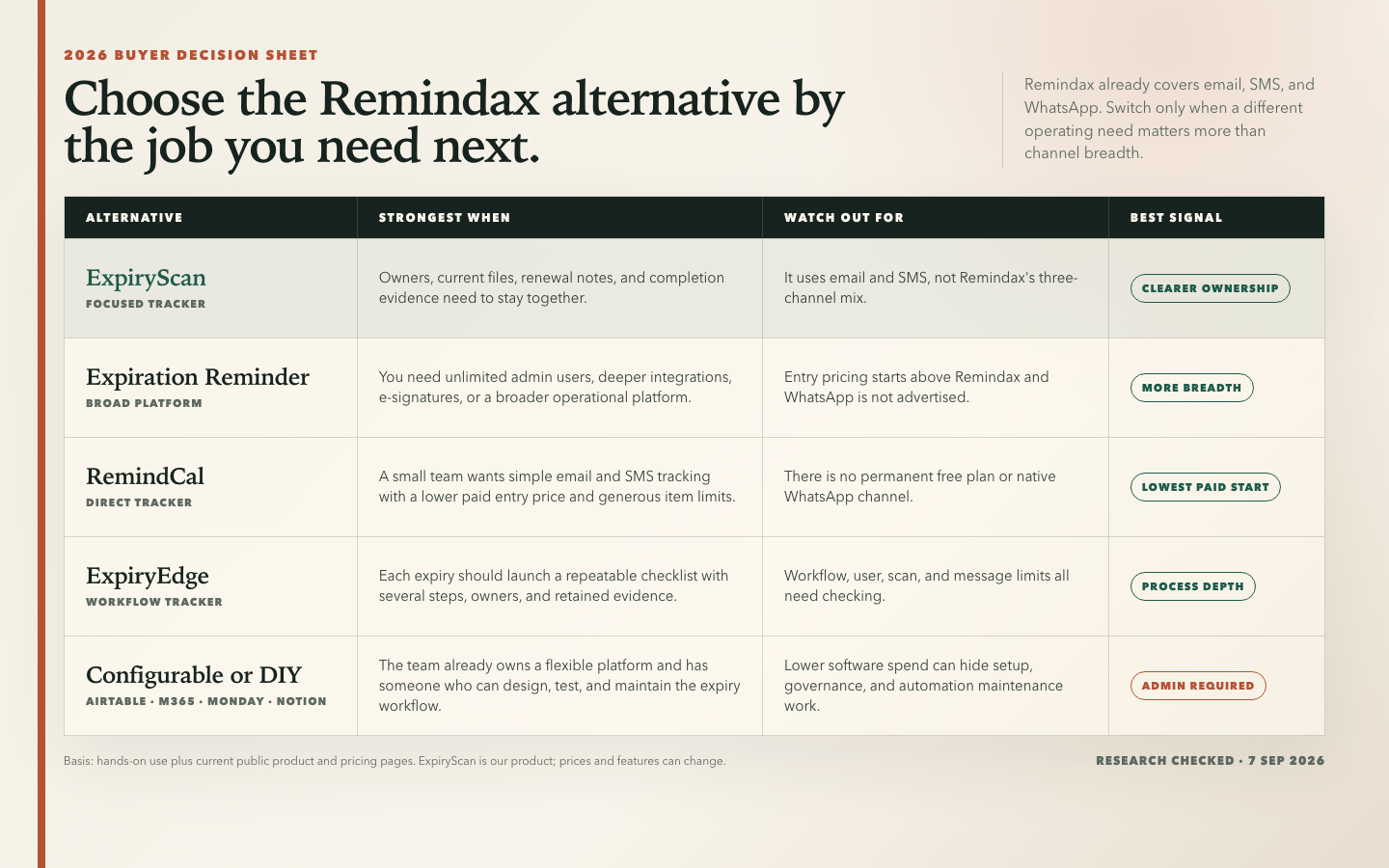
I would look elsewhere when the harder problem is keeping owners, current documents, renewal notes, and completion evidence together; when a renewal needs a checklist; when a team needs deeper integrations; or when the organization already has a flexible platform it is prepared to maintain.
My short answer is that ExpiryScan is my preferred focused alternative, Expiration Reminder is the broadest direct competitor, RemindCal has the lowest paid entry price among the dedicated products here, and ExpiryEdge is the best fit when an expiry should start a repeatable procedure.
For a category-level explanation rather than a competitor comparison, read document expiry reminder software.
My Quick Verdict
- Best focused Remindax alternative: ExpiryScan
- Best broad direct competitor: Expiration Reminder
- Best lower-cost dedicated starting point: RemindCal
- Best for checklist-driven renewals: ExpiryEdge
- Best custom database: Airtable
- Best for Microsoft 365 organizations: Microsoft Lists and SharePoint
- Best for turning expiries into project work: monday.com
- Best for keeping records beside SOPs and notes: Notion
- Best free option for a small register: Google Sheets or Microsoft Excel
- Best for a handful of low-risk dates: a shared calendar
When I Would Keep Remindax
I would not replace Remindax just because another tool has a longer feature list.
Remindax is still a good fit when the team needs one purpose-built place for mixed expiries and wants reminders delivered through email, SMS, and WhatsApp. That channel coverage is hard to match without combining products or building automations.
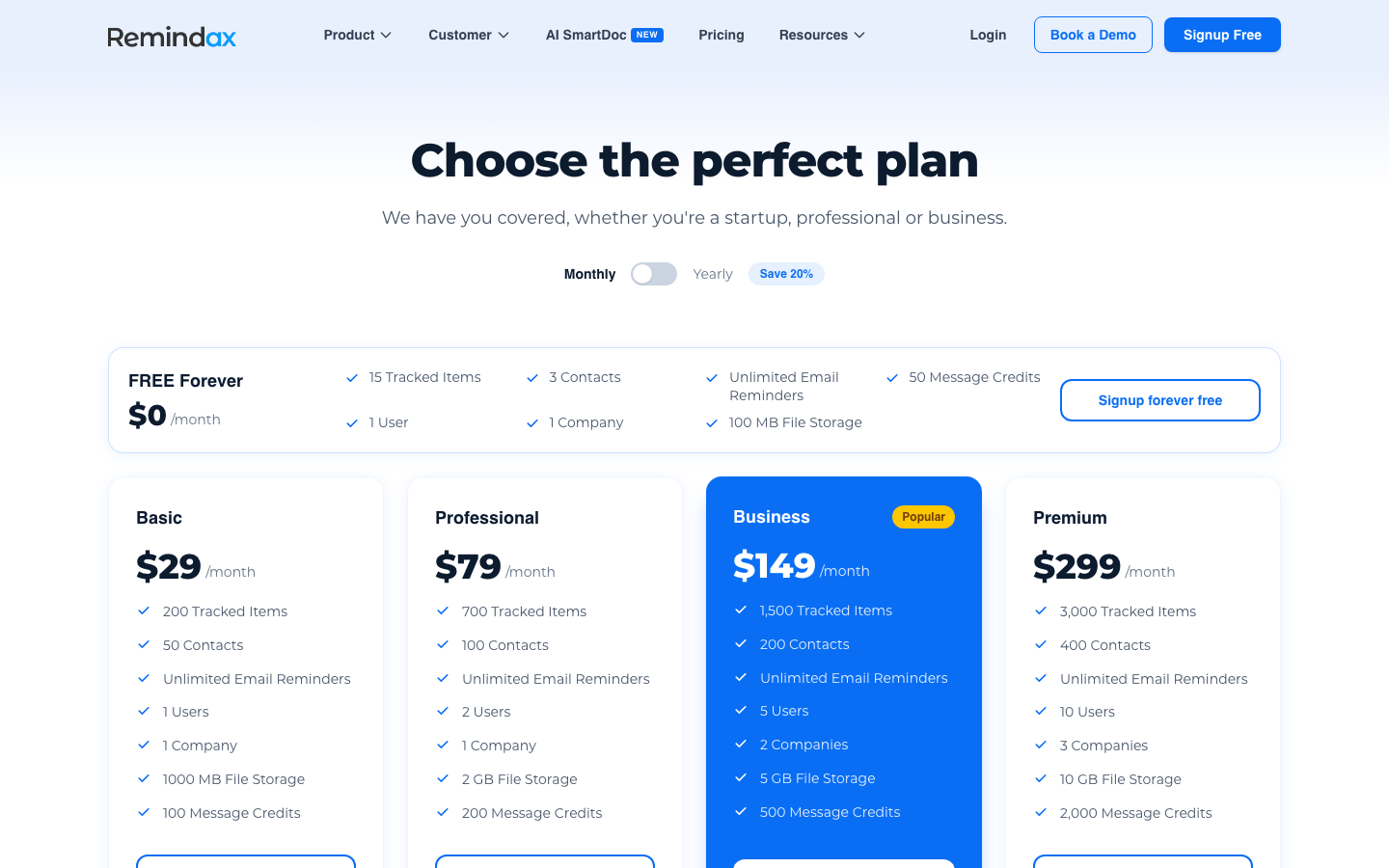
The free plan is also useful for a genuine workflow test. It includes 15 tracked items, three contacts, one user, one company, unlimited email reminders, 50 message credits, and 100 MB of storage. It is too small for most operating registers, but large enough to prove whether the product's model works for the team.
I would stay only after calculating the real capacity requirement. Remindax plans limit tracked items, contacts, users, companies, file storage, and SMS or WhatsApp credits. A team that fits the Basic tier today may need a different tier as records or recipients grow.
What I Looked for in a Remindax Alternative
A Better Reason Than Price Alone
Remindax starts at $29 per month and offers a permanent free plan. Several alternatives cost more. A switch should solve a workflow problem, not simply move the same register to a new interface.
Ownership and Renewal Evidence
I looked for more than a date and a delivered alert. I wanted to see who owned the renewal, whether the current document was attached, what follow-up had happened, and what proved the item was complete.
Reminder Reach and Escalation
Replacing native WhatsApp delivery is a real trade-off. I compared email, SMS, WhatsApp, in-app alerts, and the extra work required to create reliable escalation in configurable products.
Setup and Ongoing Administration
Dedicated trackers usually start faster. Airtable, Microsoft Lists, monday.com, and Notion can be shaped around unusual processes, but somebody has to design fields, permissions, automations, and recovery when those automations fail.
The Full Bill
I compare plan prices together with item limits, users, message credits, storage, workspaces, minimum seat quantities, annual commitments, and promotional pricing.
How I Compared the Tools
I have personally used Remindax and all ten alternatives in this guide. I focused on creating or importing records, assigning responsibility, attaching or linking documents, configuring reminders, finding overdue items, and understanding the paid plan the workflow would actually require.
ExpiryScan is the product behind this article, so it is a disclosed participant rather than a supposedly neutral winner. I include its limitations and recommend other products when their workflow is a better fit.
Prices are as of 7 September 2026, with currency and billing terms stated for each plan.
Remindax: The Product to Beat
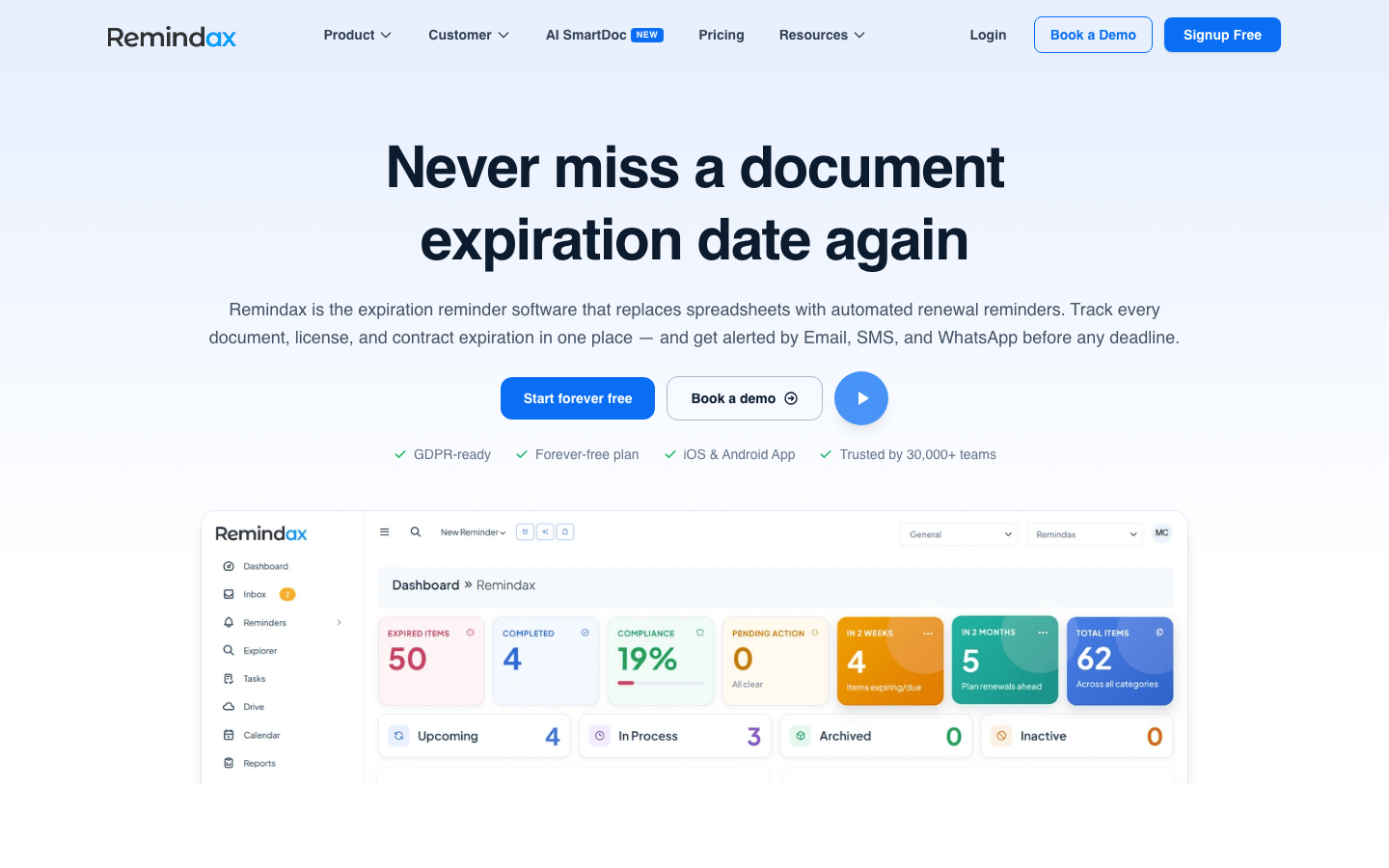
Remindax is a dedicated expiration-management platform for contracts, certificates, licences, insurance, warranties, subscriptions, permits, and other date-sensitive records.
In my use, its clearest strength was communication coverage. I could configure email, SMS, and WhatsApp sequences without building an external automation stack. Imports, document storage, mobile access, contacts, role-based permissions, and audit history made it much more complete than a basic reminder app.
The buying trade-off is plan arithmetic. The free tier is useful for testing, but 15 items disappear quickly. Paid tiers add capacity unevenly across items, contacts, users, companies, storage, and message credits. I would estimate all six before choosing a plan.
Remindax Pricing
Remindax plans offer monthly or annual billing. Annual billing reduces the paid-plan price by 20%.
- Free Forever: $0/month
- Basic: $29/month, or $23/month billed annually
- Professional: $79/month, or $63/month billed annually
- Business: $149/month, or $119/month billed annually
- Premium: $299/month, or $239/month billed annually
- Custom: Quote-based
Remindax Reviews
- Capterra: 4.6 out of 5 stars (18+ reviews)
Overall sentiment: Reviewers commonly like the straightforward expiry tracking, document handling, and automated reminders. Setup friction, occasional glitches, an interface some users want improved, and inconsistent support response appear in the negative feedback. Eighteen reviews are encouraging but still a small sample, and Capterra notes that some submissions were vendor-referred and incentivized.
Summary: 10 Remindax Alternatives at a Glance
| Alternative | Best for | Reminder approach | Starting point | Main trade-off |
|---|---|---|---|---|
| ExpiryScan | Focused owner-led expiry tracking | Email and SMS | $29/month; $26/month annually | Stronger record context, but no native WhatsApp channel |
| Expiration Reminder | Broader direct replacement | Email and SMS plus integrations | $49/month; $44/month annually | More breadth and unlimited admins, at a higher entry price |
| RemindCal | Low-cost dedicated tracking | Email and SMS | $19.99/month | Simple offer and generous item limits, but no permanent free plan |
| ExpiryEdge | Checklist-driven renewals | Email, SMS, and WhatsApp | $29/month; $24.17/month annually | Deeper workflow, with several capacity limits to model |
| Airtable | Custom data models | Configured automations | Free; Team from $20/seat/month annually | Flexible, but the team owns design and maintenance |
| Microsoft Lists | Existing Microsoft 365 teams | Power Automate workflows | Microsoft 365 plan-dependent | Strong ecosystem fit, but expiry logic must be built |
| monday.com | Expiry work inside project operations | Configured automations | Free; paid from £8/seat/month annually | Strong task flow, with minimum seats and platform overhead |
| Notion | Records beside SOPs and knowledge | Native reminders and database automations | Free; Plus from £8.50/member/month annually | Excellent context, weaker control for strict renewals |
| Sheets or Excel | Small, low-risk registers | Manual or separately scripted | Free or suite-dependent | Fastest to start and easiest to outgrow |
| Shared calendar | A few simple dates | Event notifications | Free or suite-dependent | Useful alerts, but not a complete system of record |
1. ExpiryScan – Best Focused Remindax Alternative
Best for: Operations and compliance teams that want owners, documents, reminders, notes, and renewal evidence in one focused workflow.
My take: I would choose ExpiryScan when the reminder is only one part of the problem and the team needs a clearer record of who owns the renewal and what happened next.
My Experience With ExpiryScan
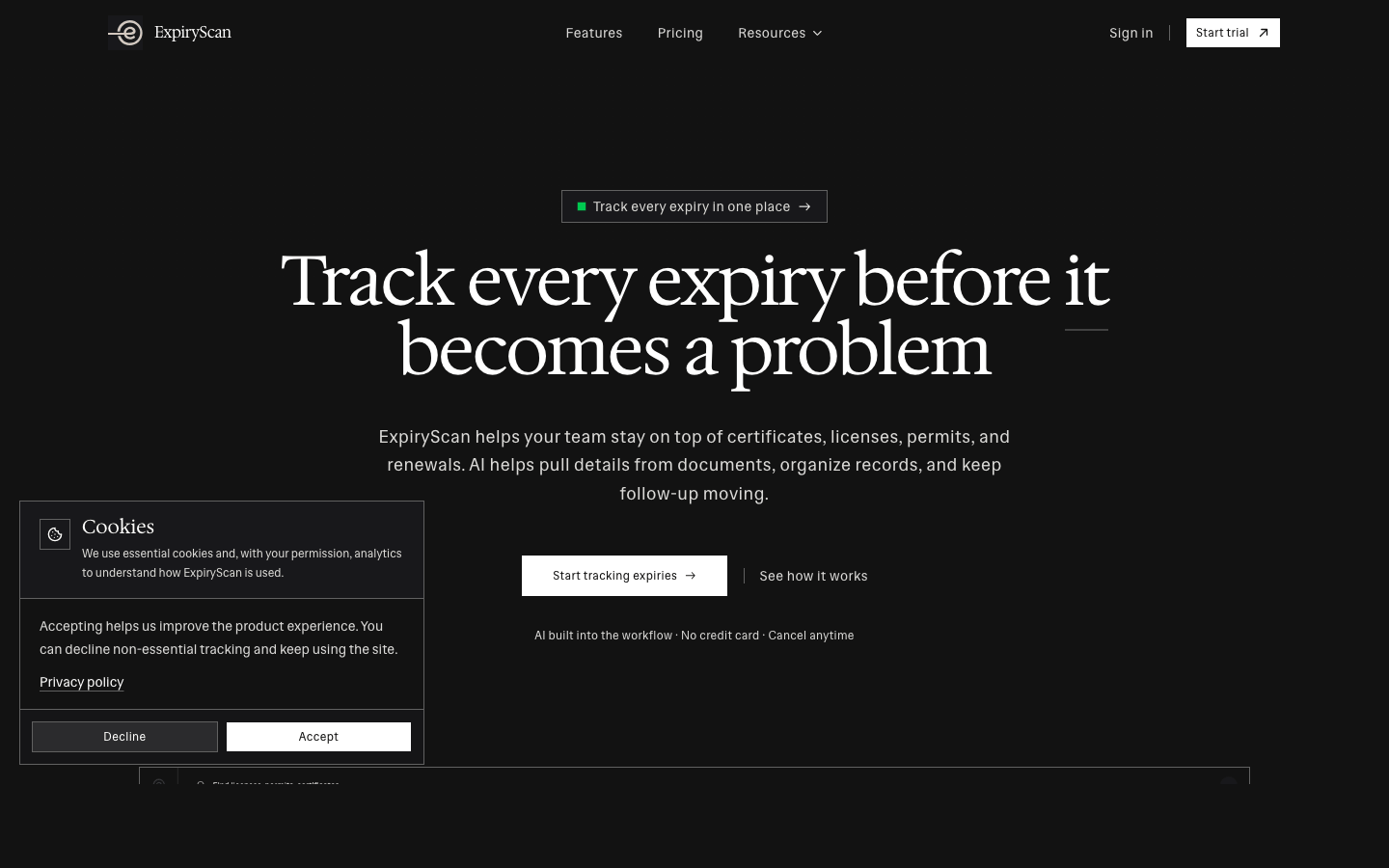
ExpiryScan keeps the work centred on the expiring record. The owner, current file, status, reminder timing, notes, and completion evidence stay connected rather than being split between a reminder tool and a document folder.
The difference became useful after a reminder was sent. I could return to the record and understand what was still missing without reconstructing the story from messages. AI-assisted document extraction also reduced repeated typing when adding certificates, licences, permits, and similar files.
ExpiryScan does not try to match Remindax channel for channel. Email and SMS are available, but WhatsApp is not a native option. I would choose it for the record and follow-up model, not for maximum notification breadth.
What I Like
- Owners, files, reminder timing, status, notes, and evidence stay together.
- The data model is purpose-built, so the team does not have to design a tracker first.
- Email and SMS reminders are available without a separate automation platform.
- AI document extraction helps reduce manual setup work.
Where It Falls Short
- No permanent free plan.
- No native WhatsApp reminders.
- It is less configurable than Airtable or monday.com.
- Teams needing full project management or knowledge management still need broader tools.
ExpiryScan Pricing
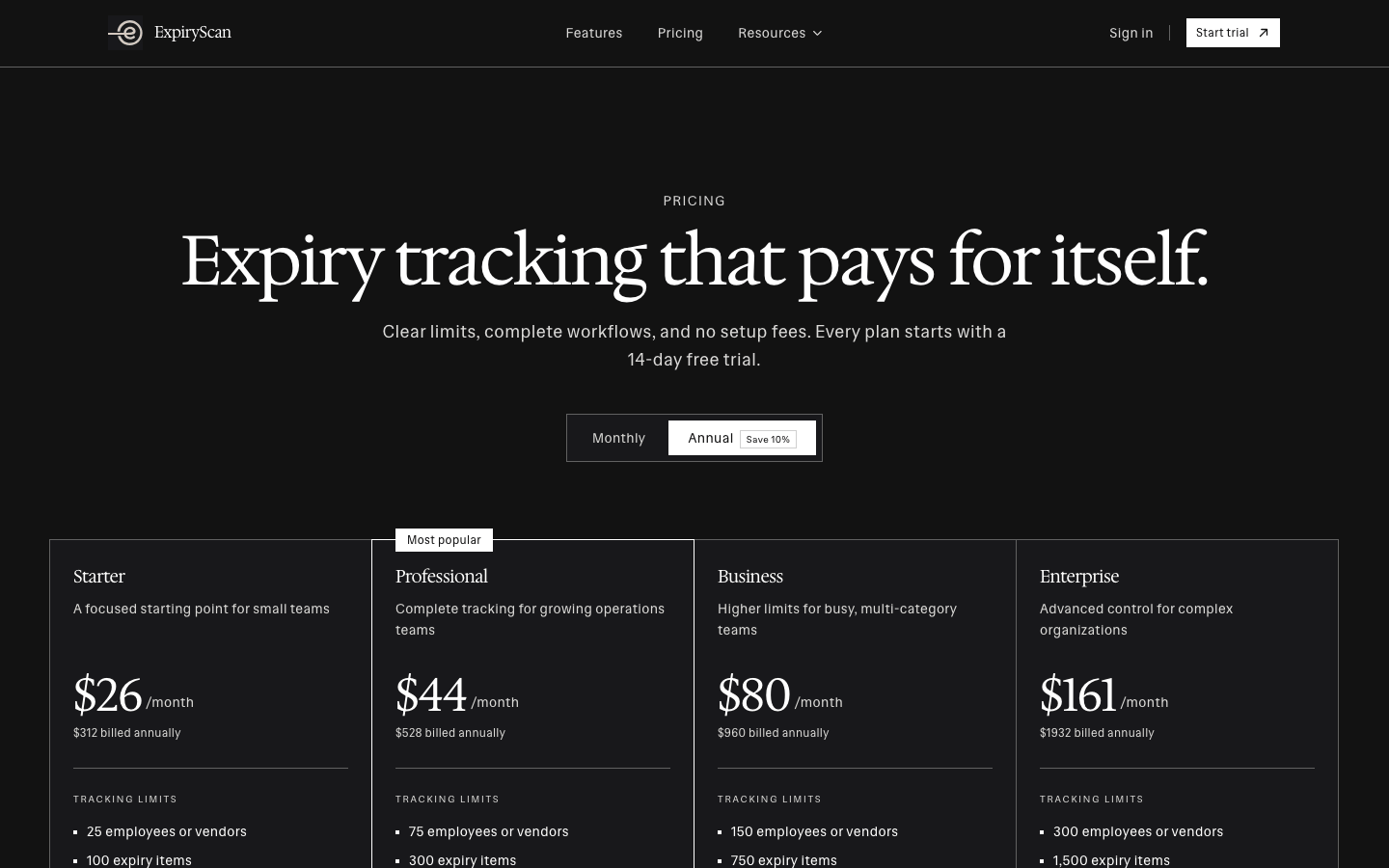
ExpiryScan plans are priced in USD, with monthly or annual billing. Every plan includes a 14-day trial.
- Starter: $29/month, or $26/month billed annually
- Professional: $49/month, or $44/month billed annually
- Business: $89/month, or $80/month billed annually
- Enterprise: $179/month, or $161/month billed annually
2. Expiration Reminder – Best Broad Direct Competitor
Best for: Teams that want a mature expiry platform with unlimited admin users, a large integration catalogue, e-signatures, and broader operational features.
My take: Expiration Reminder is the closest broad replacement here. I would pay the higher entry price when its integrations or operational depth removed other work.
My Experience With Expiration Reminder
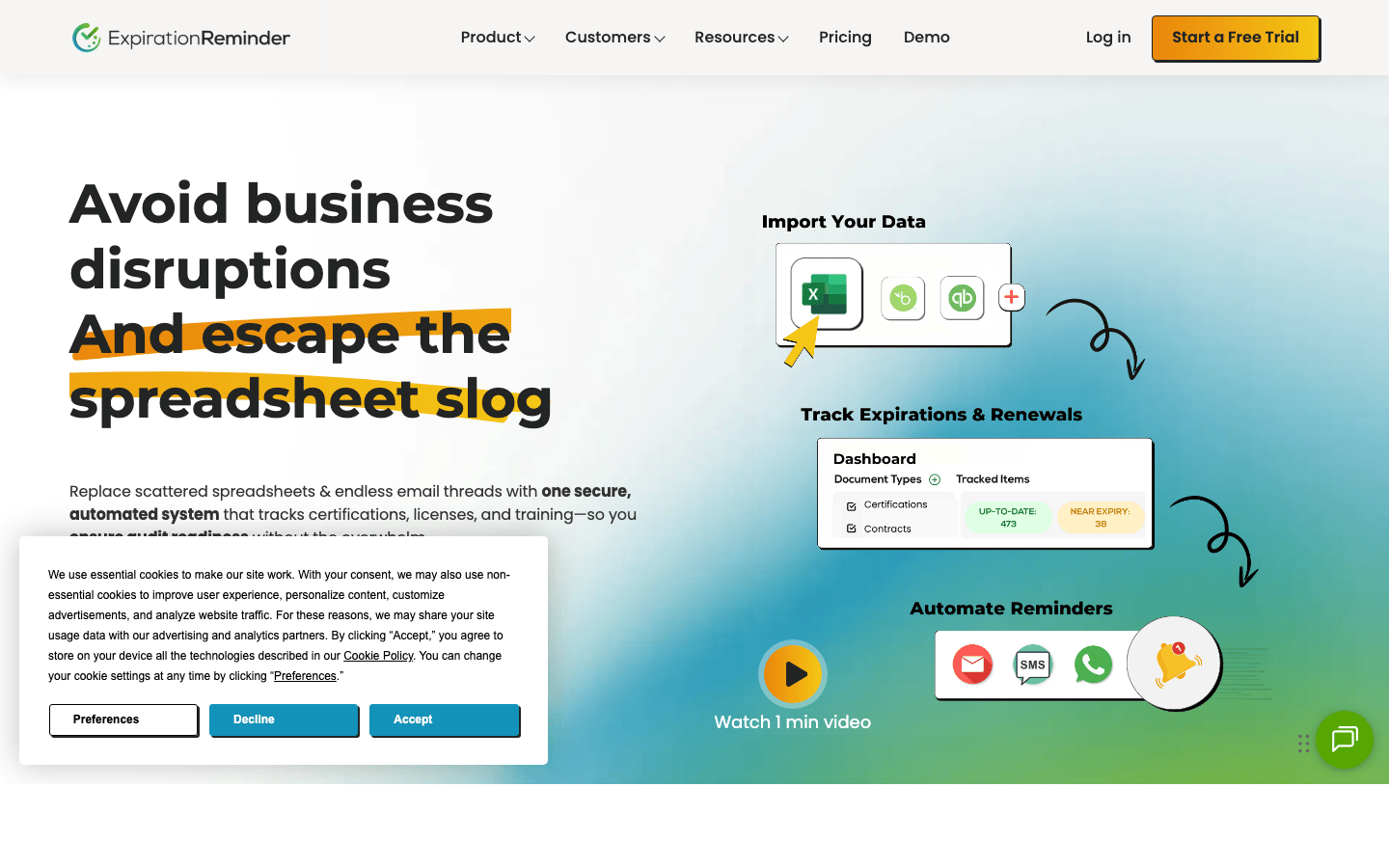
Expiration Reminder gave me the same basic advantage as Remindax: certificates, insurance, leases, contracts, permits, warranties, subscriptions, vehicles, and employee records already fit the product model.
It goes further in several areas, with document scanning, electronic signatures, mobile access, reporting, employee and vendor onboarding, and more than 250 integrations.
The trade-off is price and channel choice. The Starter plan costs more than Remindax Basic, and WhatsApp is not advertised as a native reminder channel. I would test the specific integration that justifies the move rather than assuming more integrations automatically mean a better workflow.
What I Like
- Purpose-built expiry records with documents, contacts, reminders, and reporting.
- Unlimited admin users, contacts, file storage, and SMS reminders.
- Broader native integrations than the other dedicated trackers here.
- E-signatures, onboarding, advanced permissions, and enterprise controls are available.
Where It Falls Short
- Higher starting price than Remindax, RemindCal, ExpiryScan, or ExpiryEdge.
- No permanent free plan.
- WhatsApp reminders are not advertised.
- Advanced permissions and e-signatures can add to the bill on lower tiers.
Expiration Reminder Pricing
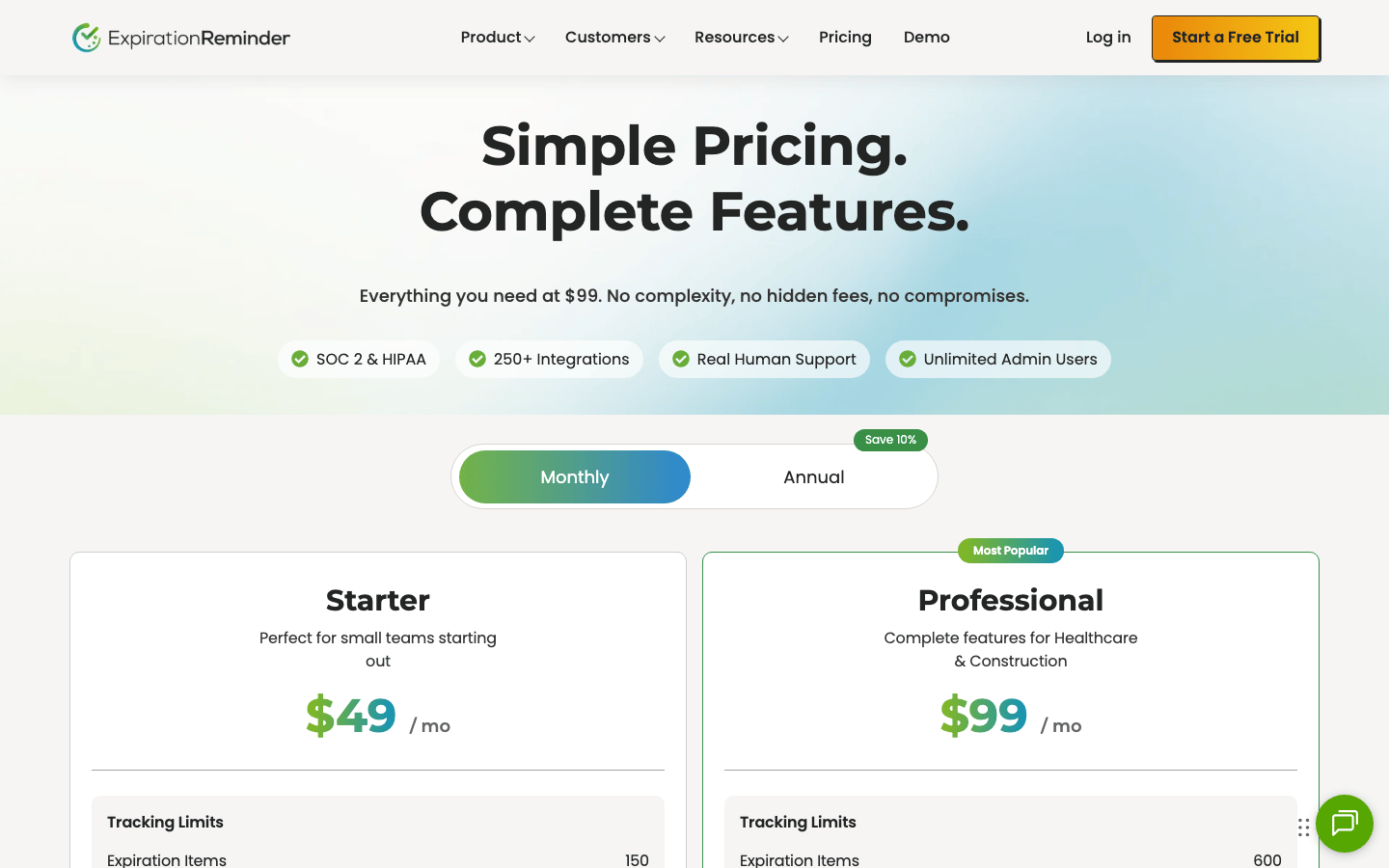
Expiration Reminder plans offer monthly or annual billing:
- Starter: $49/month, or $44/month billed annually
- Professional: $99/month, or $89/month billed annually
- Business: $179/month, or $161/month billed annually
- Enterprise: $399/month, or $359/month billed annually
Expiration Reminder Reviews
- G2: 4.2 out of 5 stars (9+ reviews)
- Capterra: 4.5 out of 5 stars (49+ reviews)
Overall sentiment: Reviewers value putting expirations, documents, owners, and alerts in one place. Ease of tracking and the dashboard appear frequently in positive comments. A less intuitive interface, slow loading, tedious bulk setup, and limitations in reporting or integrations appear in complaints. The sample is still modest, especially on G2.
3. RemindCal – Best Lower-Cost Dedicated Starting Point
Best for: Small teams that mainly need email and SMS reminders with straightforward monthly pricing and clear capacity limits.
My take: RemindCal is the easiest direct competitor here to understand. It gives up Remindax's free tier and WhatsApp channel in exchange for a lower paid entry price and generous tracked-item limits.
My Experience With RemindCal
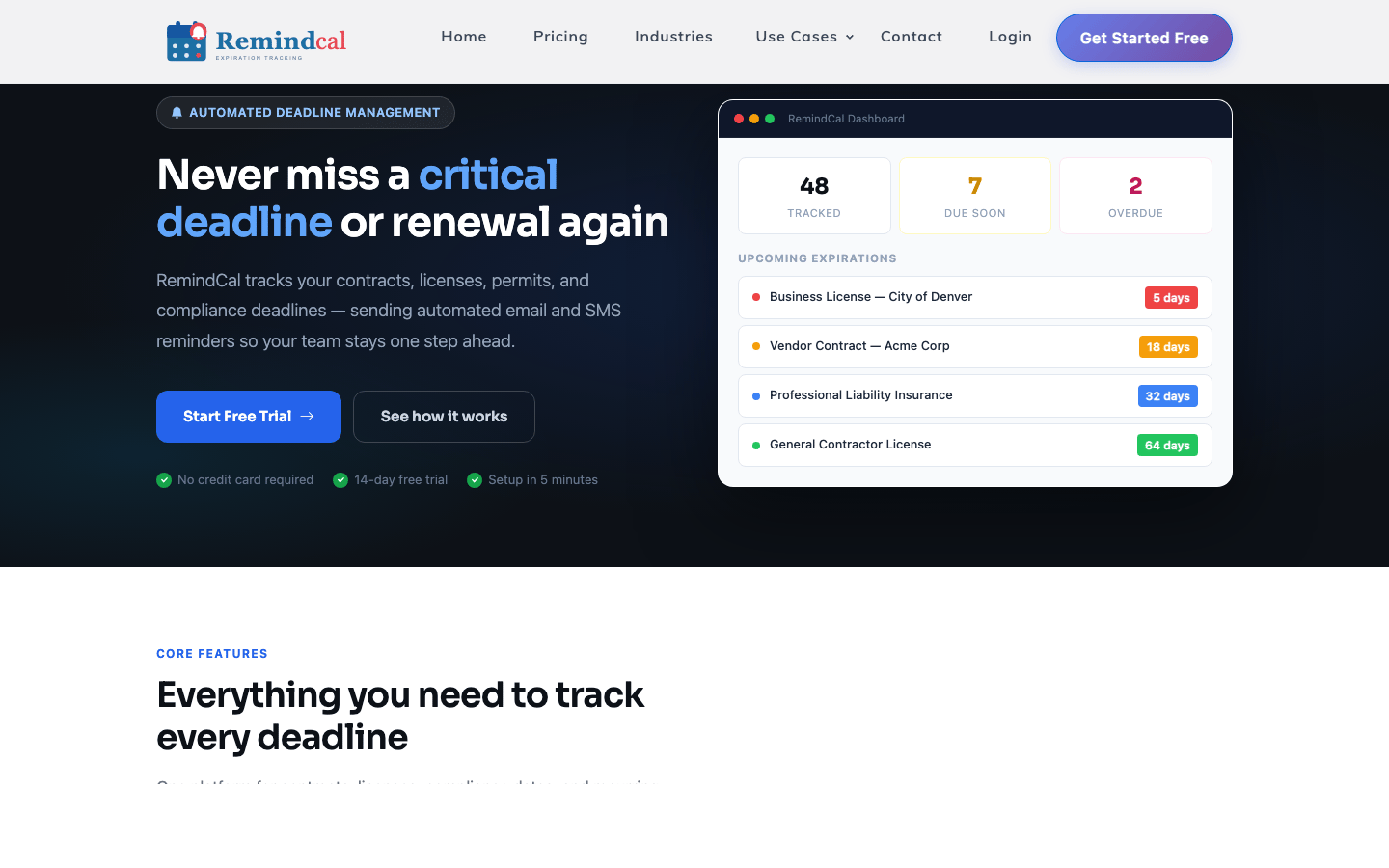
RemindCal keeps contracts, licences, permits, insurance, subscriptions, and general reminders in one simple model. Records, reminder intervals, attachments, recipients, dashboards, calendars, and team access were easy to connect without much configuration.
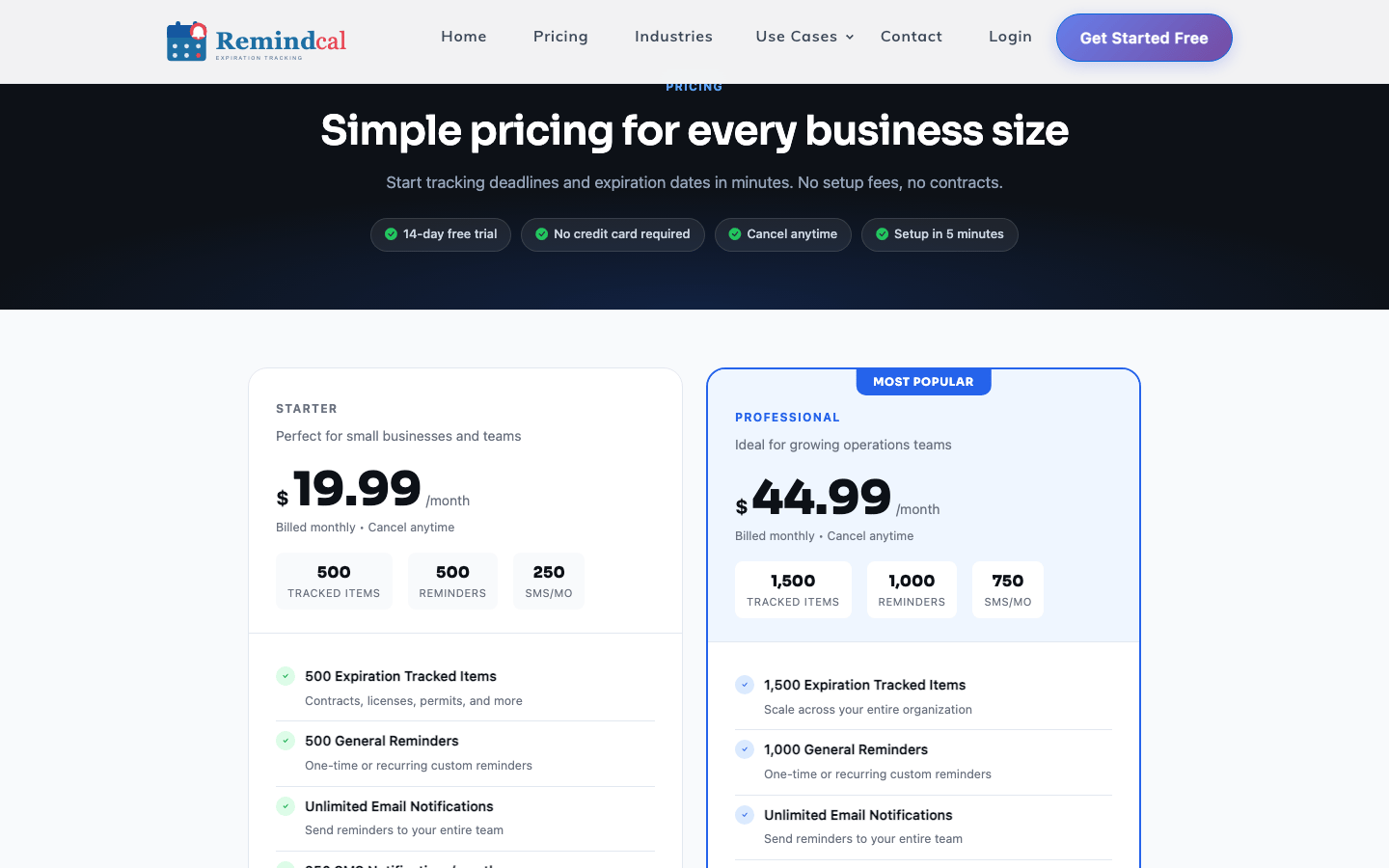
The Starter plan includes 500 tracked items, 500 general reminders, unlimited email notifications, and 250 SMS notifications per month. That is substantially more item capacity than Remindax Basic, although the products package contacts, storage, and collaboration differently.
I would choose RemindCal when email and SMS were enough and the team wanted a short buying decision. I would keep Remindax when WhatsApp or a permanent free plan mattered more.
What I Like
- Lowest monthly entry price among the dedicated paid products here.
- Clear tracked-item, reminder, and SMS limits.
- Unlimited email recipients and multi-user access are included.
- A 14-day trial requires no credit card.
Where It Falls Short
- No permanent free plan.
- No advertised native WhatsApp reminder channel.
- Only two standard plans before a custom discussion.
RemindCal Pricing
RemindCal plans are billed monthly with no contract:
- Starter: $19.99/month
- Professional: $44.99/month
- Custom: Contact sales for more than 1,500 items or custom SMS requirements
4. ExpiryEdge – Best for Checklist-Driven Renewals
Best for: Teams where an approaching expiry should launch a repeatable sequence of tasks rather than only send an alert.
My take: ExpiryEdge is the clearest upgrade path when Remindax reminders reveal work but the team still has to coordinate that work somewhere else.
My Experience With ExpiryEdge
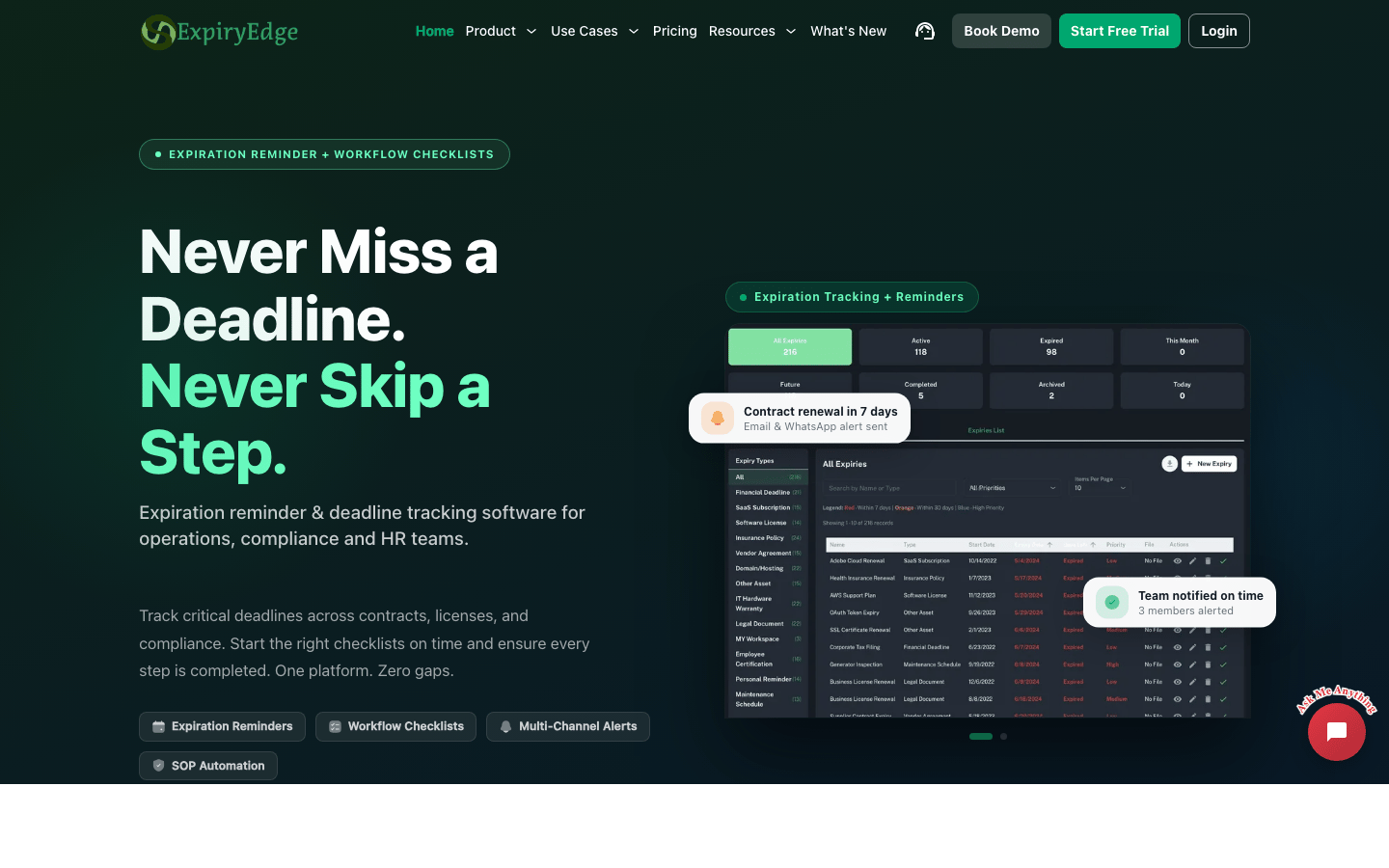
ExpiryEdge connects expiry records with workflow templates and checklist runs. That matters when renewing a licence, permit, insurance policy, or certification requires requests, reviews, approvals, payment, submission, and final evidence.
I could keep the deadline and the procedure in the same product instead of sending a reminder and then opening a separate task system. Email is unlimited, while plans include SMS and WhatsApp credits, so it retains much of Remindax's channel coverage.
The pricing model needs care. Plans vary by expiries, contacts, users, teams, categories, storage, workflows, workflow runs, AI scans, and message credits. The workflow depth is valuable only when the team will actually use it.
What I Like
- Expiry records and repeatable procedures live together.
- Email, SMS, and WhatsApp notifications are available.
- Clear allowances for workflow templates and runs.
- AI document scanning and internal storage are included on relevant plans.
Where It Falls Short
- More structure than a simple register may need.
- Several capacity dimensions make plan selection more involved.
- The lowest annual rate requires a yearly commitment.
ExpiryEdge Pricing
ExpiryEdge plan prices include taxes:
- PersonalLite: $29/month, or $24.17/month billed annually
- ProEssentials: $49/month, or $40.83/month billed annually
- BusinessMax: $99/month, or $82.50/month billed annually
- PowerUser: $199/month, or $165.83/month billed annually
- Enterprise: Custom pricing

ExpiryEdge Reviews
- G2: 4.5 out of 5 stars (1 review)
Overall sentiment: One review cannot establish a market consensus. The reviewer found the product easy to learn and useful for compliance paperwork, while noting that features occasionally did not work as expected. I treat that as one directional data point and put much more weight on a realistic trial.
5. Airtable – Best Custom Database Alternative
Best for: Teams with unusual relationships between records, vendors, locations, assets, and approvals—and a clear system owner.
My take: Airtable gives me much more modelling freedom than Remindax, but every useful rule becomes something my team must design and maintain.
My Experience With Airtable
I can build a capable expiry tracker in Airtable: linked records, owners, dates, attachments, forms, filtered views, interfaces, reminders, and workflow automations.
That flexibility is useful when an expiry is connected to a vendor-management, asset, procurement, or approval process that does not fit a dedicated product. The difficult part comes later. Field definitions drift, automations need testing, permissions change, and teams create parallel bases with slightly different rules.
I would move from Remindax to Airtable for a genuinely custom data model, not to reproduce a standard expiry register. Without an accountable builder, the configurable option can become less dependable than the product it replaced.
What I Like
- Strong linked-record and custom-view capabilities.
- Useful forms, interfaces, automations, and integrations.
- Excellent when expiry data belongs inside a broader operational database.
- A free plan is available for lightweight use.
Where It Falls Short
- Not an expiry tracker out of the box.
- Reminder and evidence quality depend on the system you build.
- Paid plans charge per editor.
- Large or complicated bases need active design and governance.
Airtable Pricing
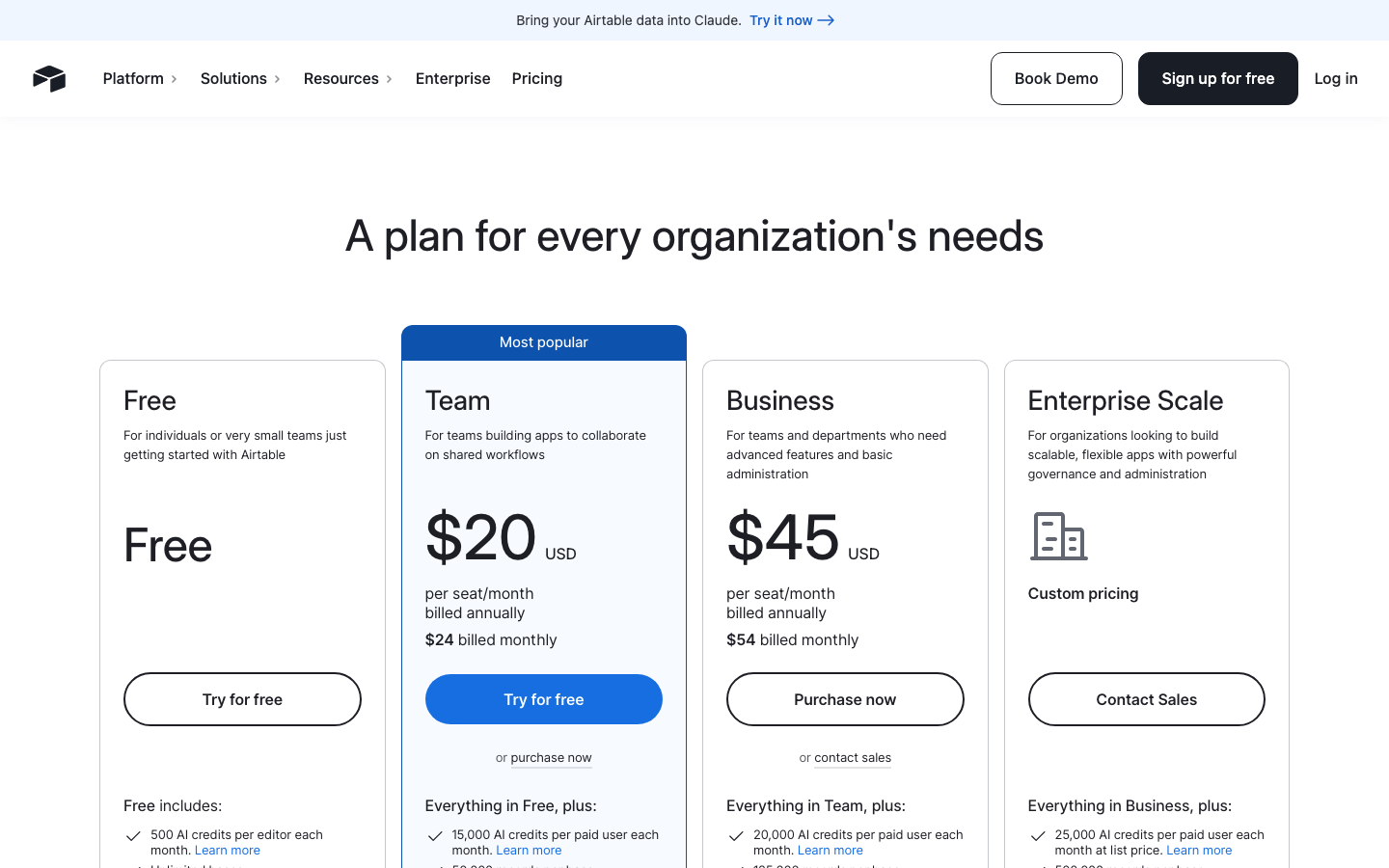
Airtable plans are priced per seat in USD:
- Free: $0
- Team: $20/seat/month billed annually, or $24 billed monthly
- Business: $45/seat/month billed annually, or $54 billed monthly
- Enterprise Scale: Custom pricing
Airtable Reviews
- G2: 4.6 out of 5 stars (3,200+ reviews)
- Capterra: 4.6 out of 5 stars (2,200+ reviews)
Overall sentiment: Reviewers repeatedly praise flexibility, approachable database design, views, collaboration, and the ability to replace scattered spreadsheets. Learning curve, per-seat cost, missing output or mobile capabilities, and slower performance with larger datasets recur in criticism. That matches my experience: Airtable is powerful when someone owns the build.
6. Microsoft Lists and SharePoint – Best for Microsoft 365 Teams
Best for: Organizations already using Microsoft 365 identity, SharePoint document libraries, and Power Automate.
My take: Microsoft Lists can be easier to approve than Remindax because it is already in the suite. It is not necessarily easier to operate.
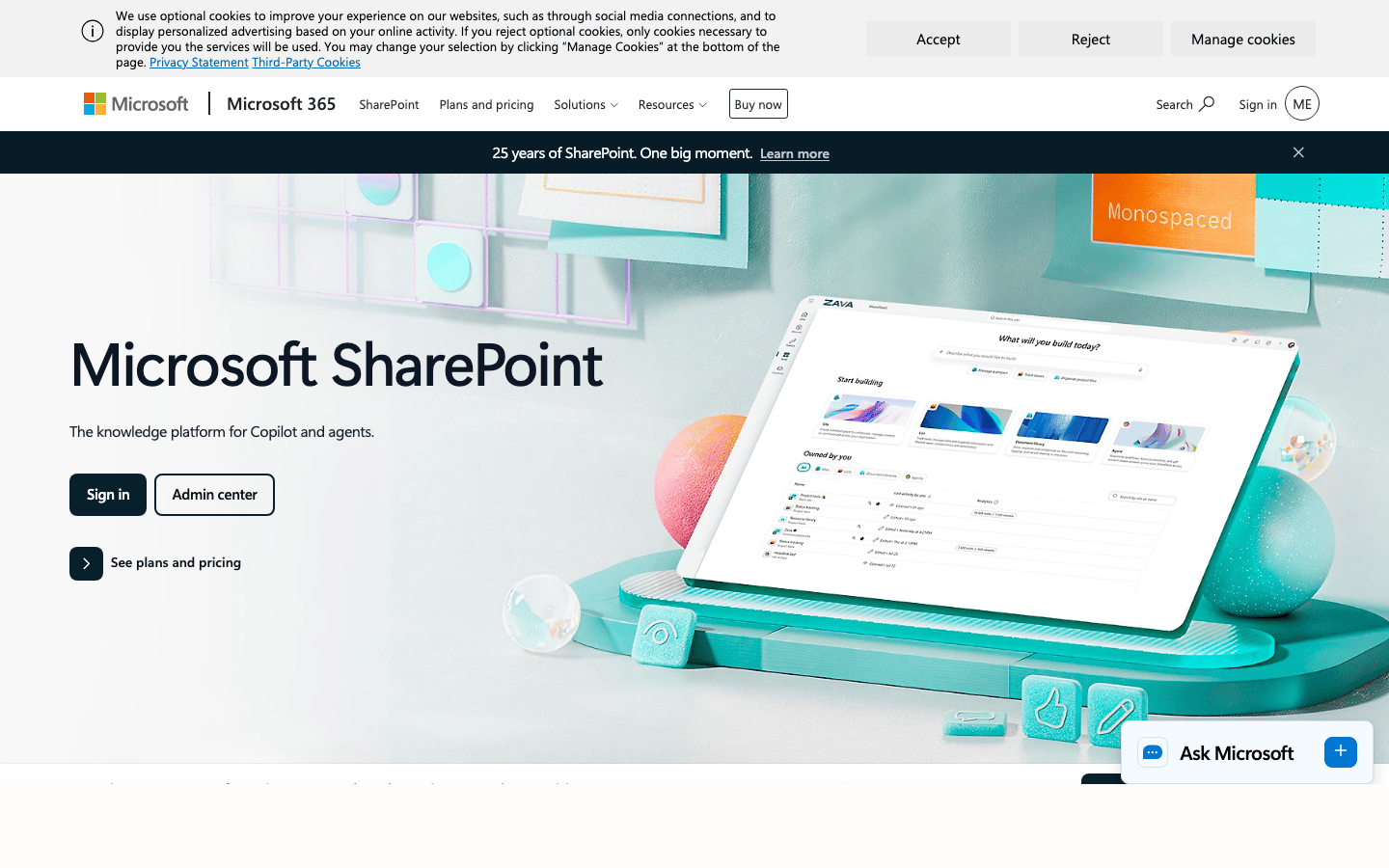
My Experience With Microsoft Lists
Microsoft Lists can hold owners, dates, categories, statuses, and attachments. SharePoint can hold current documents, while Power Automate sends reminders, begins approvals, and escalates overdue work.
The ecosystem fit is the reason to choose it. Existing identity, permissions, teams, and files can stay together. The friction appears in the flow logic: somebody has to decide schedules, failure handling, backup owners, escalation, permissions, and how several lists remain consistent.
I would move from Remindax when consolidating into Microsoft 365 is an explicit goal and the organization has an internal owner for the automation. I would not choose it just because the licence looks included.
What I Like
- Often available inside an existing Microsoft 365 subscription.
- Strong identity, access control, versioning, and document storage.
- Power Automate can connect reminders with approvals and other processes.
- Familiar environment for Microsoft-focused IT teams.
Where It Falls Short
- Expiry-specific fields and workflows must be designed.
- Flow failures and permission issues need active ownership.
- Lists and sites can fragment the source of truth.
- Included software does not mean zero implementation cost.
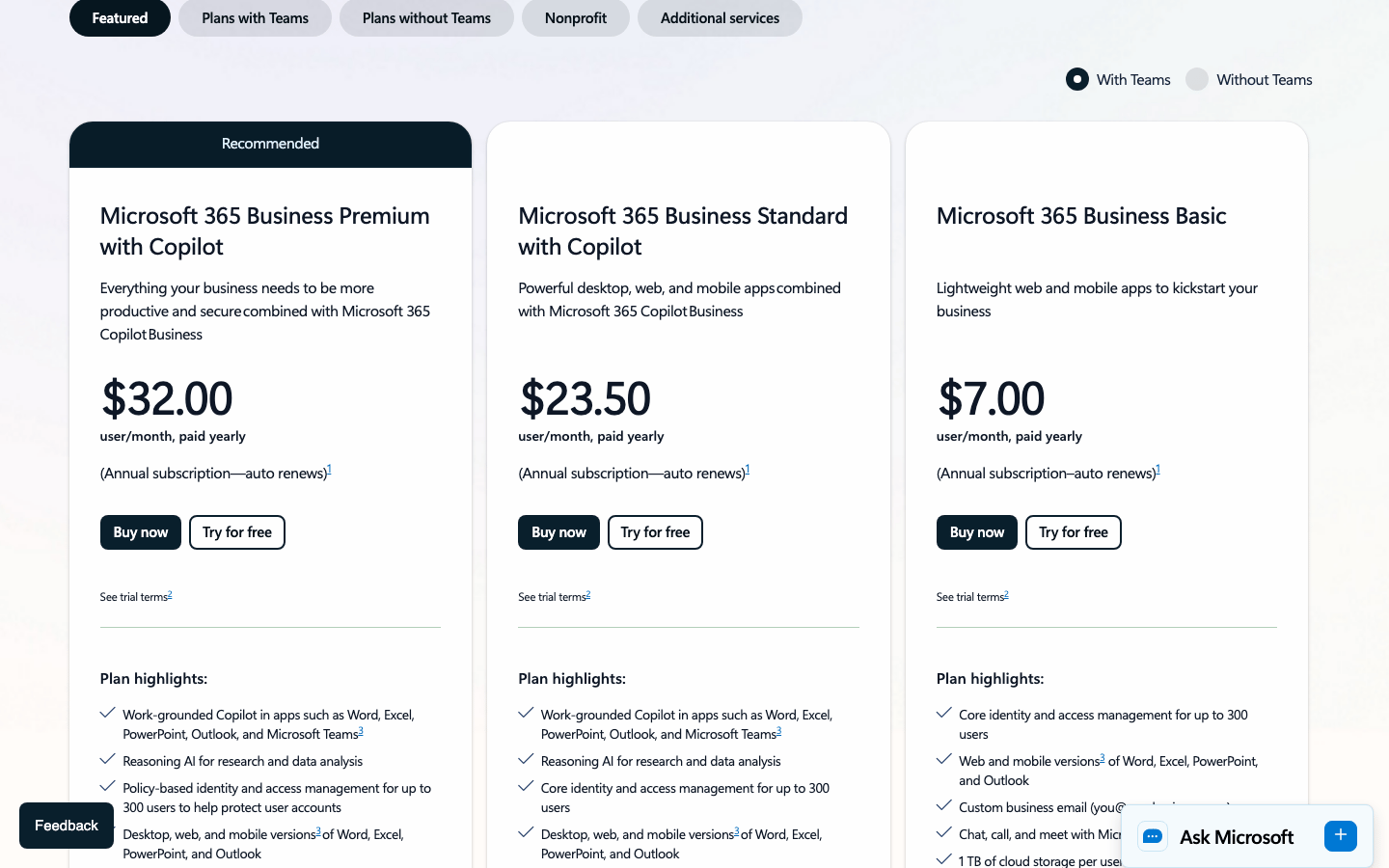
Microsoft 365 Pricing
The Microsoft 365 U.S. business plans below require an annual commitment. Confirm whether Teams and Copilot are included in your chosen offer.
- Microsoft 365 Business Basic: $7/user/month paid yearly
- Microsoft 365 Business Standard with Copilot: $23.50/user/month paid yearly
- Microsoft 365 Business Premium with Copilot: $32/user/month paid yearly
Microsoft SharePoint Reviews
- G2: 4.0 out of 5 stars (8,900+ reviews)
- Capterra: 4.4 out of 5 stars (5,400+ reviews)
Overall sentiment: SharePoint users value centralized documents, permissions, versioning, collaboration, and Microsoft 365 integration. The recurring drawbacks are a steep learning curve, difficult setup, confusing permissions and navigation, weak search, and slow performance in large libraries. This is suite-level evidence for SharePoint, not a review score for a prebuilt expiry-tracking product.
7. monday.com – Best for Turning Expiries Into Project Work
Best for: Teams that already manage operational tasks, dependencies, and approvals in monday.com.
My take: monday.com is stronger than Remindax when an expiry is the start of a project. It is less natural when the durable document record matters more than the task board.

My Experience With monday.com
I can represent an expiry in monday.com as a board item with an owner, due date, status, files, dependencies, automations, and dashboard reporting.
That model works well when the renewal needs assignments across legal, finance, operations, and management. The board makes work visible and gives each step a clear owner.
As a long-term mixed-document register, it can become busy. Versions, evidence, categories, and repeated renewals compete with task movement. I would choose monday.com when the team already works there and renewal coordination is more important than having a purpose-built expiry record.
What I Like
- Strong task ownership, dashboards, views, and automations.
- Useful when renewal work crosses several teams.
- Fits naturally inside an existing monday.com operating system.
- A free plan supports up to two seats.
Where It Falls Short
- Requires a designed board and automation model.
- Paid plans use minimum team sizes.
- Can be excessive when expiry tracking is the only workflow.
- Documents and renewal evidence can become secondary to task status.
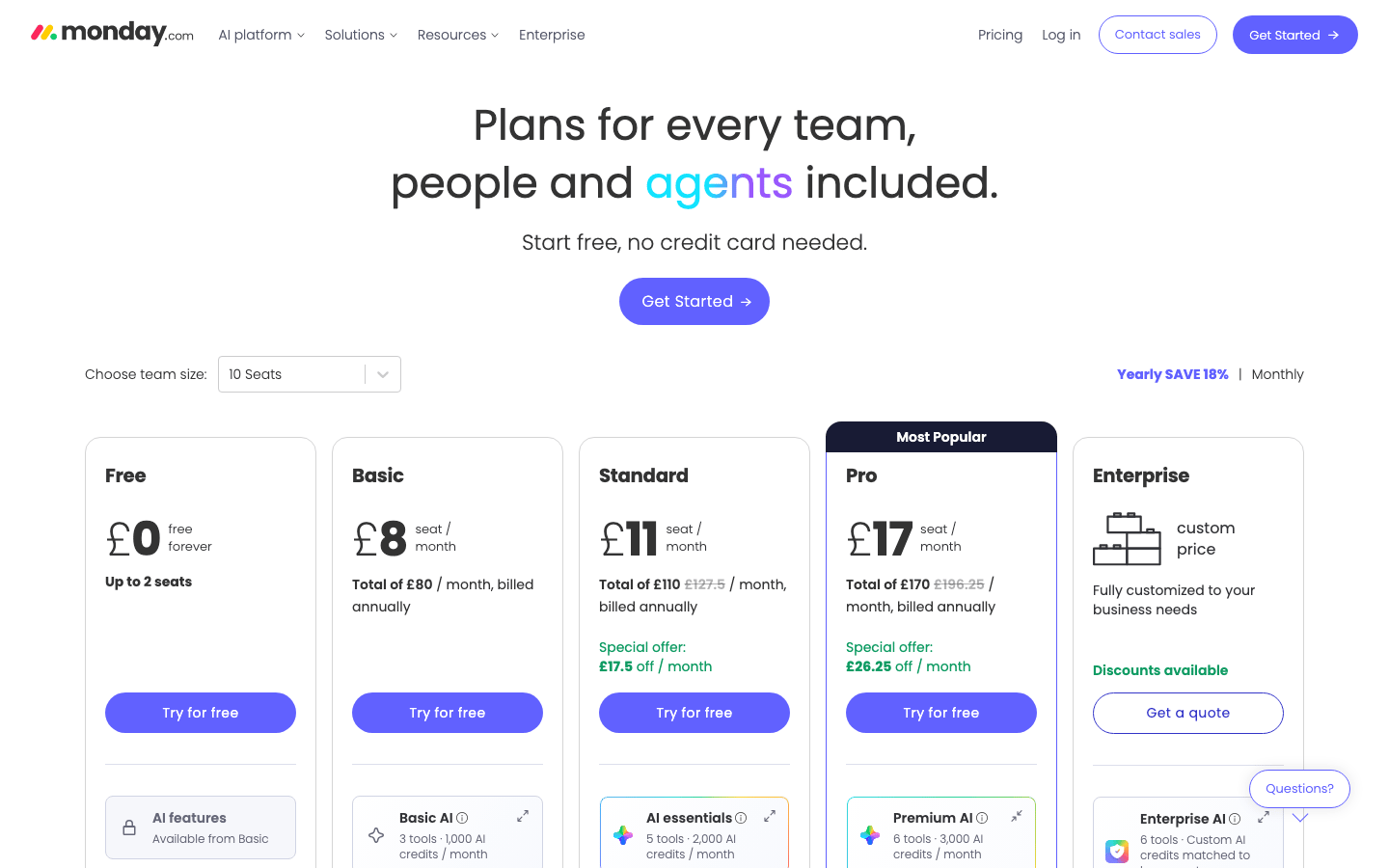
monday.com Pricing
These monday.com rates are in GBP per seat for a ten-seat team with annual billing, before promotional AI-credit discounts.
- Free: £0 for up to two seats
- Basic: £8/seat/month billed annually
- Standard: £11/seat/month billed annually
- Pro: £17/seat/month billed annually
- Enterprise: Custom pricing
monday.com Reviews
- G2: 4.7 out of 5 stars (15,200+ reviews)
- Capterra: 4.6 out of 5 stars (6,100+ reviews)
Overall sentiment: Reviewers consistently like the visual interface, customization, task organization, collaboration, and automation. The same feature breadth creates the main complaints: new users can feel overwhelmed, specific capabilities remain limited, and boards become harder to govern as they expand. That matches where I find it most useful—coordinating work after the date is known.
8. Notion – Best for Records Beside SOPs and Knowledge
Best for: Small teams that want renewal records next to instructions, notes, vendor context, and internal documentation.
My take: Notion is the easiest place here to explain the renewal process. I would not replace Remindax with it when strict escalation and operational evidence are the priority.

My Experience With Notion
Notion lets me put a date database beside the SOP, vendor page, meeting notes, and decision history that explain the renewal.
Templates make a simple structure easy to repeat: owner, date, status, current file, renewal notes, and linked process. Database views and automations can surface upcoming items without much development work.
The weakness is control. Flexible pages invite variation, and reminder behaviour depends on the setup and plan. I would choose Notion for context-rich, lower-risk records. For regulated or high-consequence renewals, I prefer a dedicated tracker.
What I Like
- Excellent connection between records, SOPs, notes, and team knowledge.
- Clean page and database experience.
- Useful free plan for individuals and small tests.
- Templates and multiple views make the structure approachable.
Where It Falls Short
- Pages and records can become inconsistent.
- Reminder and escalation depth is not the product's main strength.
- Strict evidence and reporting require careful design.
- Per-member pricing can exceed a focused tracker.
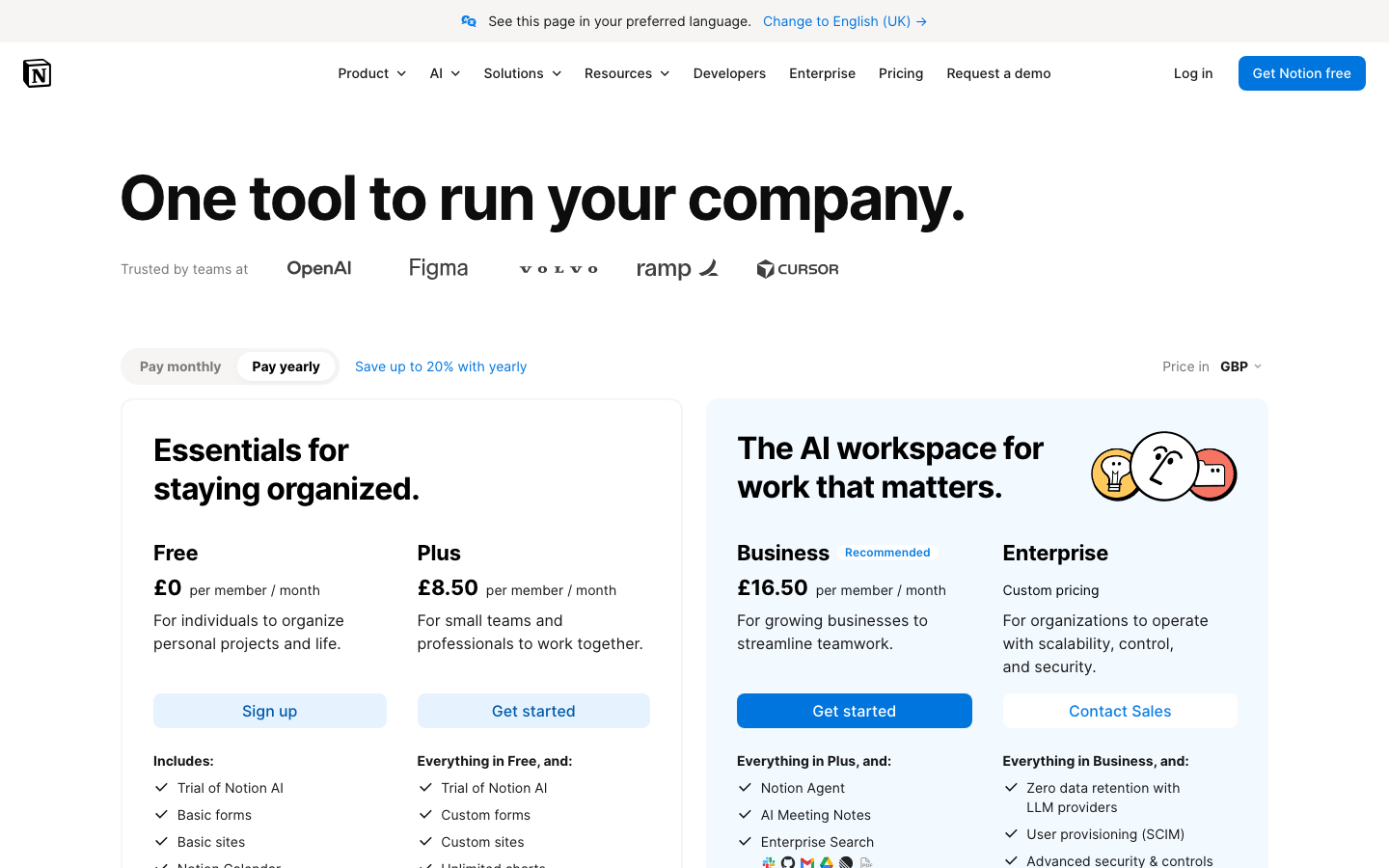
Notion Pricing
The Notion plans below are in GBP per member with annual billing. Confirm your selected currency before purchasing.
- Free: £0
- Plus: £8.50/member/month billed annually
- Business: £16.50/member/month billed annually
- Enterprise: Custom pricing
Notion Reviews
- G2: 4.6 out of 5 stars (11,500+ reviews)
- Capterra: 4.7 out of 5 stars (2,800+ reviews)
Overall sentiment: Reviewers praise Notion's flexibility, clean interface, collaboration, and ability to keep tasks, databases, notes, and knowledge together. Setup and learning curve, mobile friction, limited or missing capabilities, and lag with larger databases recur in complaints. That supports my view that Notion is strongest for context, not strict renewal control.
9. Google Sheets or Microsoft Excel – Best Free Starting Point
Best for: A small, low-risk register under one dependable owner.
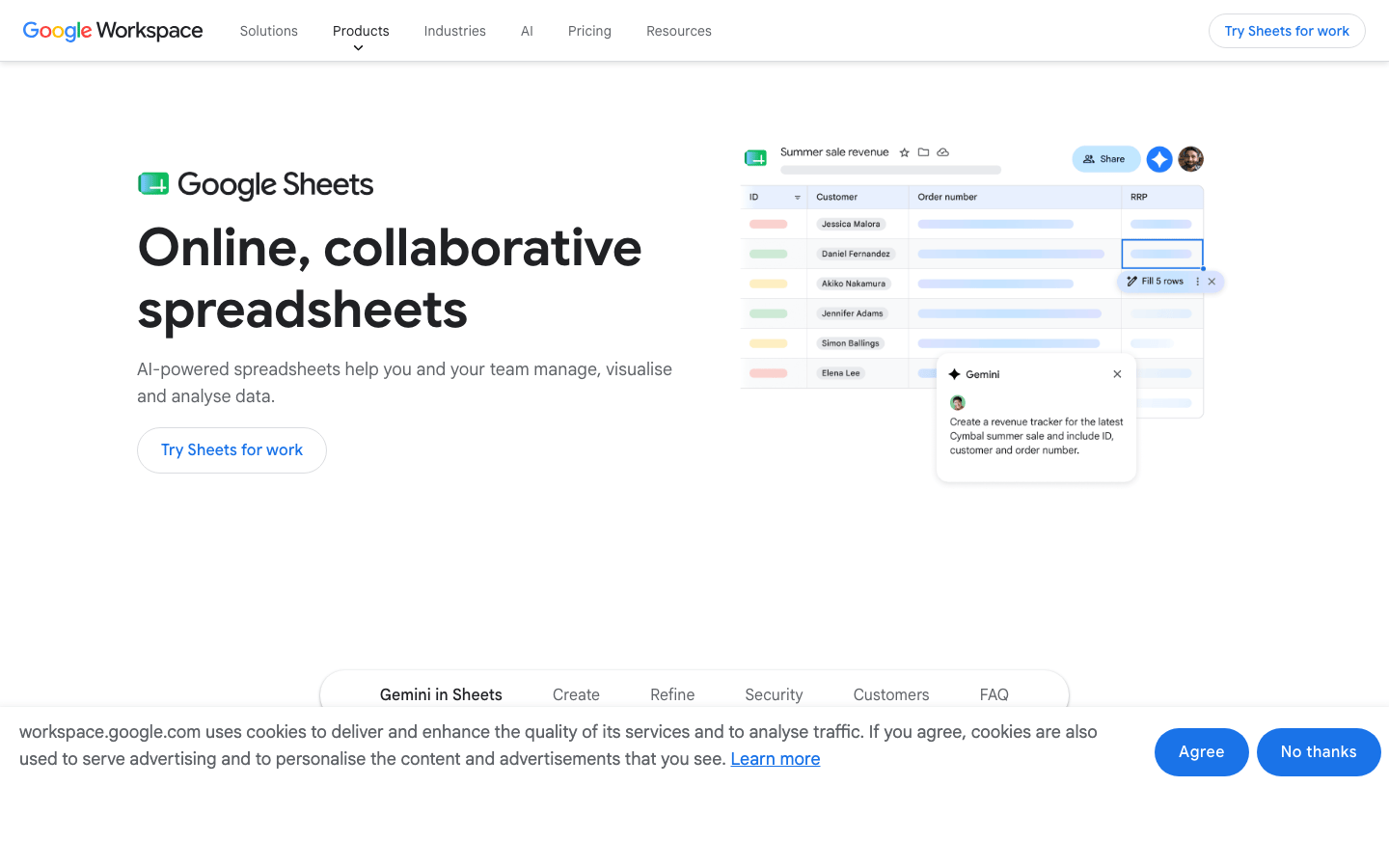
My take: A spreadsheet is faster to start than Remindax and easier to customize. It is also easier to mistake for a dependable reminder system.
My Experience With Spreadsheet Tracking
I use spreadsheets for imports, clean-up, and early workflow discovery. A useful register can be built quickly with fields for record, category, owner, expiry date, reminder date, status, file link, and notes.
The weaknesses emerge gradually. A formula is overwritten, a file link points to an old version, an owner changes role, or a red cell appears urgent without notifying anyone. A manager cannot tell whether a renewal is complete or merely discussed.
I would replace Remindax with a spreadsheet only for a very small, low-risk register or when the team needs a temporary staging system before choosing another product.
What I Like
- Familiar and quick to start.
- Excellent for imports, exports, and data cleaning.
- Flexible while the team defines its record structure.
- Personal versions can be free.
Where It Falls Short
- Conditional formatting is not a delivered reminder.
- Ownership, escalation, evidence, and history are weak.
- Formulas and file links fail quietly.
- Multi-user editing makes consistency harder as the register grows.
Spreadsheet Pricing
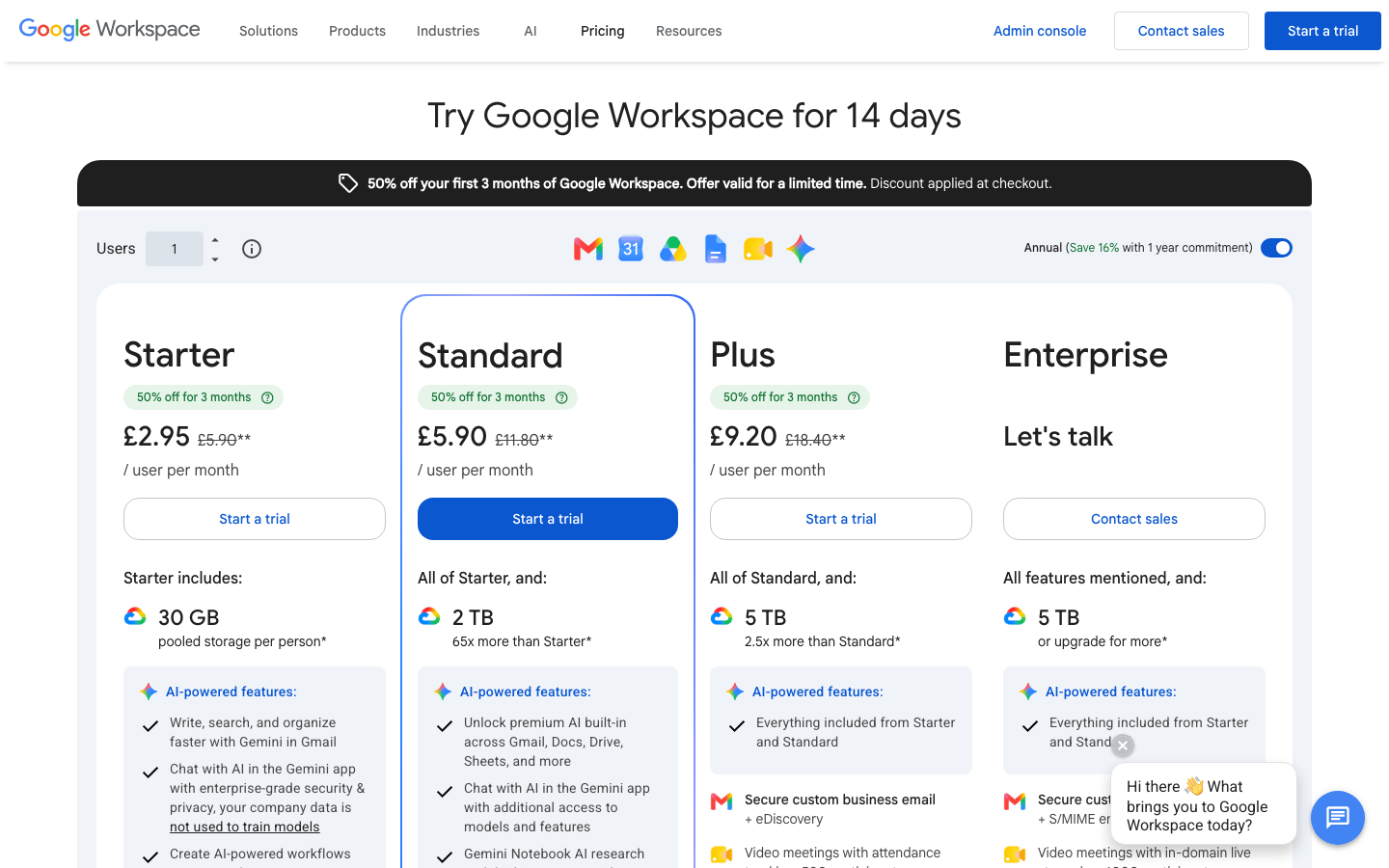
The Google Workspace rates below are in GBP with a one-year commitment, before the introductory 50% discount for the first three months.
- Google Sheets for personal use: £0
- Google Workspace Starter: £5.90/user/month with a one-year commitment
- Google Workspace Standard: £11.80/user/month with a one-year commitment
- Google Workspace Plus: £18.40/user/month with a one-year commitment
- Microsoft Excel for the web: $0 for personal use
- Microsoft 365 Business Standard with Copilot and desktop Excel: $23.50/user/month paid yearly
Google Sheets and Microsoft Excel Reviews
- Google Sheets on Capterra: 4.7 out of 5 stars (13,200+ reviews)
- Microsoft Excel on G2: 4.7 out of 5 stars (3,100+ reviews)
- Microsoft Excel on Capterra: 4.8 out of 5 stars (19,400+ reviews)
Overall sentiment: Google Sheets is praised for accessibility, real-time collaboration, sharing, and value, while lag and weaker analysis appear when files become large or complicated. Excel users value formulas, PivotTables, Power Query, and broad compatibility; complexity, version control, subscription cost, and slow or fragile workbooks recur in criticism. Both are excellent data tools and weaker controlled-renewal systems.
10. Shared Calendar Reminders – Best for a Handful of Dates
Best for: A few low-risk renewals or a secondary notification layer beside another register.
My take: A shared calendar replaces the alerting part of Remindax, not the record, document, ownership, or audit-history parts.
My Experience With Calendar Reminders
Google Calendar and Outlook make it easy to create a renewal event, repeat it, share it, and notify several people in advance. For ten dates, that may be enough.
The limit appears as soon as somebody asks what happened. A calendar event does not naturally hold current document status, evidence, category reporting, or renewal history. Dismissing the notification looks the same as completing the work.
I use calendar events as a backup reminder layer. I do not use them as the primary register for important certificates, licences, insurance, permits, or contracts.
What I Like
- Almost no learning curve.
- Notifications arrive in tools the team already checks.
- Useful as a secondary reminder channel.
- Personal versions are free and business versions are included in common suites.
Where It Falls Short
- Weak ownership, status, evidence, and reporting.
- Events become stale when roles or processes change.
- A dismissed alert does not prove completion.
- Files and renewal history usually live somewhere else.
Shared Calendar Pricing
- Google Calendar for personal use: £0
- Google Workspace Starter: £5.90/user/month with a one-year commitment
- Outlook.com calendar for personal use: $0
- Microsoft 365 Business Basic with web and mobile Outlook: $7/user/month paid yearly
- Microsoft 365 Business Standard with Copilot and desktop Outlook: $23.50/user/month paid yearly
Google Calendar and Microsoft Outlook Reviews
- Google Calendar on Capterra: 4.8 out of 5 stars (4,200+ reviews)
- Microsoft Outlook on G2: 4.5 out of 5 stars (3,500+ reviews)
- Microsoft Outlook on Capterra: 4.5 out of 5 stars (2,500+ reviews)
Overall sentiment: Google Calendar users like its simple scheduling, sharing, device sync, and Google integrations, while notification gaps, clutter, and limited customization appear in complaints. Outlook users value having email, calendar, contacts, and tasks together; slower performance, sync problems, and search friction recur in criticism. Those reviews support the calendar experience, but not the use of an event as a complete expiry record.
Which Remindax Alternative Would I Choose?
I would shortlist the dedicated products first when the team wants to replace Remindax without building a system.
- I would choose ExpiryScan for clearer ownership, documents, renewal notes, and completion evidence.
- I would choose Expiration Reminder for unlimited admin users, e-signatures, and a broader integration catalogue.
- I would choose RemindCal for straightforward email and SMS tracking at the lowest paid entry price here.
- I would choose ExpiryEdge when every expiry should launch a repeatable checklist.
I would choose Airtable, Microsoft Lists, monday.com, or Notion only when the platform already fits a wider operating model and somebody is accountable for the expiry workflow.
I would use Sheets, Excel, or a shared calendar for a small, low-risk register or as a temporary migration step—not as a like-for-like Remindax replacement.
How to Trial a Remindax Alternative
Use 20 to 50 real records rather than three perfect examples. Include at least one missing document, one overdue item, one owner who has changed, and one completed renewal.
During the trial:
- Export a representative Remindax dataset and clean duplicate contacts, categories, and owners.
- Import or recreate the records using the process the team will follow after launch.
- Attach current documents and confirm who can view or replace them.
- Assign primary and backup owners.
- Rebuild realistic reminder windows and test every promised channel with actual recipients.
- Complete one renewal and inspect the retained status, notes, file, and history.
- Filter or export a manager view by owner, category, status, and due window.
- Calculate the plan using next year's records, users, storage, workspaces, automations, and message volume.
- Keep Remindax available until reminder delivery and imported evidence are verified.
The right alternative is the one the team can keep accurate after the migration project is over.
Frequently Asked Questions
What is the best alternative to Remindax?
ExpiryScan is my preferred focused alternative for owner-led expiry records and renewal evidence. Expiration Reminder is the broadest direct competitor, RemindCal has the lowest published paid entry price among the dedicated options here, and ExpiryEdge is strongest for checklist-driven renewals.
Is there a free Remindax alternative?
Airtable and Notion have free plans, while Google Sheets, Excel for the web, Google Calendar, and Outlook.com can be used free for small personal workflows. These options require more setup and do not reproduce Remindax's native email, SMS, and WhatsApp workflow. Remindax itself has the strongest purpose-built free tier in this shortlist, although it is limited to 15 tracked items.
Which alternative has WhatsApp reminders?
ExpiryEdge advertises email, SMS, and WhatsApp notifications. Remindax also supports all three. ExpiryScan and RemindCal focus on email and SMS, while configurable tools may require an integration or separate messaging provider.
Can Excel or Google Sheets replace Remindax?
Yes, for a small, low-risk register under one accountable owner. I would move beyond a spreadsheet when several people edit it, documents live in separate folders, reminders are configured elsewhere, or management needs proof that renewals were completed.
How should I migrate from Remindax?
Export the available records, clean owner and category fields, map current document locations, and test a small import first. Rebuild reminder rules with actual recipients, complete one renewal in the new tool, and keep Remindax available until the team verifies reminders, permissions, attachments, and history.
Track Expiry Dates and Renewal Evidence in ExpiryScan
ExpiryScan is the product behind this comparison and one of the Remindax alternatives I use. It brings expiry dates, owners, reminders, documents, renewal notes, status, and completion evidence into one focused workflow.
Compare ExpiryScan pricing or start tracking expiry dates.
Related Articles
- Expiration Reminder alternatives
- Document expiry reminder software
- COI tracking software
- Healthcare credentialing software
- Compliance calendar
Review method
How this comparison was reviewed
To give teams a candid, experience-led shortlist of direct Remindax competitors, configurable business systems, and free or DIY options without pretending they solve expiry tracking in the same way.
Reviewed by: Hands-on product review
How this guide was made: I've used Remindax and every option in this guide and compare them by setup, reminder delivery, record ownership, document handling, daily use, and cost. ExpiryScan publishes this guide and sells one of the products listed.
Last reviewed: